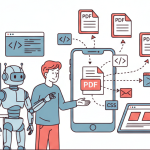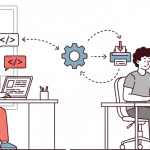

Generating PDFs is one of those problems that looks simple on the surface and becomes surprisingly opinionated once you start building. At some point, almost every application needs to turn dynamic data into a document that can be downloaded, shared, printed, or signed without breaking layout, spacing, or typography.
That’s why PDFs continue to play a critical role in modern systems. They are used for invoices that must render correctly for accounting, reports that need consistent formatting, certificates that shouldn’t shift across devices, and contracts where even a small layout change can cause real issues. Unlike web pages, PDFs are expected to be final, predictable, and portable.
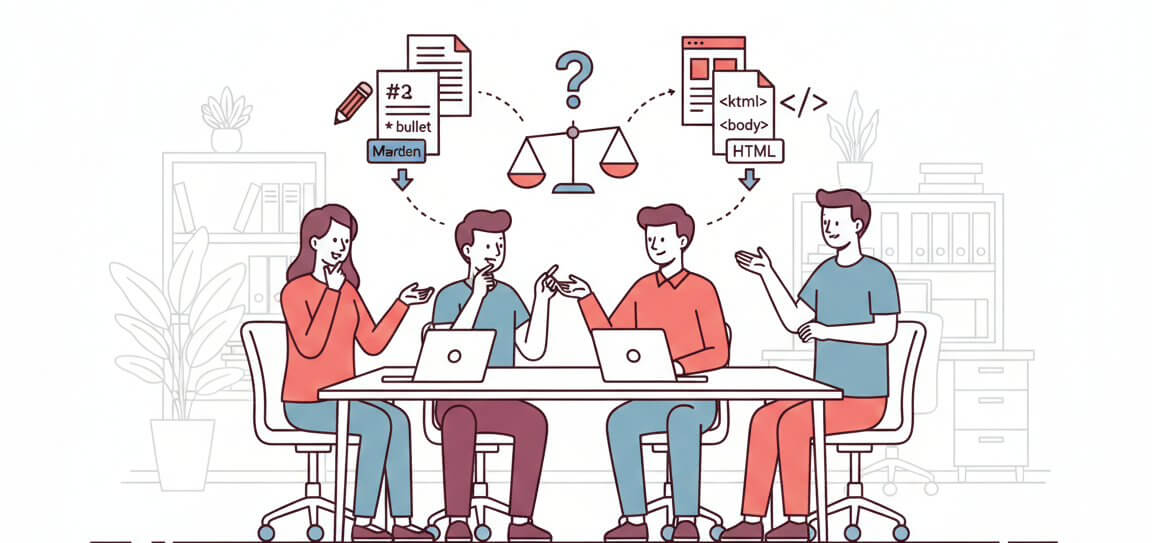
When it comes to generating these PDFs programmatically, most teams end up choosing between two approaches: Markdown-to-PDF or HTML-to-PDF. Markdown focuses on simplicity and readability, making it appealing for content-heavy documents. HTML, on the other hand, offers fine-grained control over layout, styling, and structure often at the cost of complexity.
This article breaks down how Markdown and HTML compare specifically for PDF generation. We will look at where each shines, where they fall short, and how factors like layout control, styling flexibility, maintainability, and scalability should influence your decision. By the end, you should have a clear sense of which approach fits your product not just in theory, but in real-world usage.
What is Markdown?
Markdown is a simple way to write formatted text using plain text. Instead of clicking buttons to make text bold or large, you use small symbols. For example, # is used for headings, and ** is used to make text bold. This makes Markdown easy to read and easy to write.
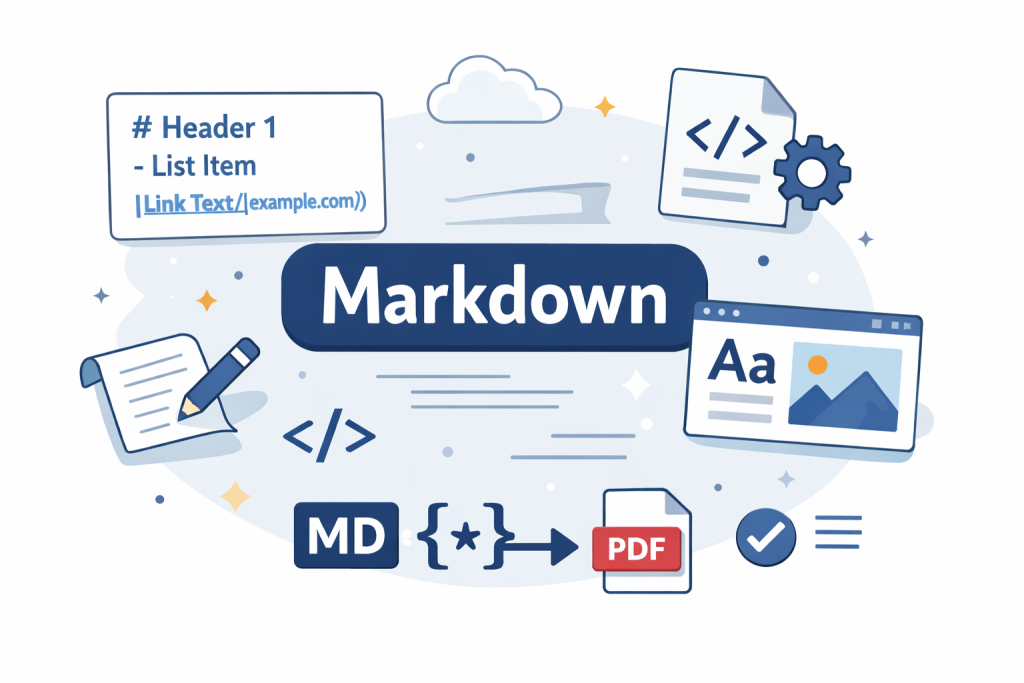
Developers like Markdown because it is clean and straightforward. You don’t need to learn many rules to use it. It works well with tools like Git, is easy to edit later, and helps you focus on writing content instead of worrying about design or layout.
Here is a simple example of a Markdown document:
# Monthly Report

**Total Sales:** $12,500

## Highlights
- More users signed up
- Sales increased
- Fewer support issues
This Markdown can be converted into a well-formatted PDF without requiring you to manually design the layout.
When creating a PDF from Markdown, the Markdown text is first changed into another format, usually HTML. After that, the HTML is turned into a PDF using a tool or service. Many online tools and APIs streamline this process so you don’t have to write the conversion logic yourself. For example, APITemplate.io’s guide on turning Markdown into PDF explains how you can send Markdown to a REST API and receive a finished, styled PDF document in return.
Markdown for PDF Generation: Pros vs. Cons
While Markdown can simplify the writing process, it also introduces trade-offs when it comes to design and layout. Understanding where Markdown performs well and where it struggles is important before choosing it as your primary PDF generation method.
| Features | Pros | Cons |
| Readability | Easy to read and understand, even as plain text. | Can feel too simple for visually rich documents. |
| Syntax | Uses minimal symbols, making it quick to learn. | Limited syntax means fewer layout and styling options. |
| Writing speed | Fast to write and create contents. | Slower to adjust visual layout when design changes. |
| Document type | Great for text-heavy documents like reports, invoices, and documentation. | Not ideal for design-heavy PDFs like brochures or branded certificates. |
| Layout control | Keeps structure simple and consistent. | Offers little control over spacing, alignment, or positioning. |
| Styling | Basic styling is easy to apply. | Advanced styling depends heavily on the renderer. |
| Consistency | Content stays clean and predictable. | Output may vary across different Markdown-to-PDF tools. |
Markdown works best when you need a document that is really simple without fancy layouts. For more information on how to convert Markdown to PDF, check out our converter.
What is HTML for PDF Generation?
HTML (HyperText Markup Language) is the standard language used to create web pages. When combined with CSS (Cascading Style Sheets), it lets you control how content looks, including fonts, colors, spacing, and layout. This makes HTML a powerful option for generating PDFs that need precise design.
To create a PDF from HTML, the HTML and CSS are rendered by a PDF engine or a headless browser. The engine reads the HTML content, applies the styling, and produces a PDF that closely matches what you would see on a web page. This gives you more control over the design compared to Markdown, which only handles basic formatting.
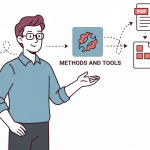
There are many ways to convert HTML to PDF, from libraries and headless browsers to API services. The APITemplate.io blog has great breakdowns of these methods and tools:
- A step‑by‑step guide to converting HTML to PDF with popular tools is covered in “How to Convert HTML to PDF: Easy Methods and Tools for Developers.”
- If you’re generating receipts, invoices, or shipping labels from HTML, the article “Convert HTML to PDF for eCommerce Receipts, Labels, and Invoices” shows real use cases and tips.
- For a comparison of techniques like headless browsers, libraries, and API services (and when to use each), see “HTML to PDF Conversion Methods: Pros and Cons of Libraries, Headless Browsers, and APIs.”
- And to make your HTML more printer‑ and PDF‑friendly before converting it, the guide “How to Create Printer‑Friendly Pages with CSS” has helpful tips on styling.
Here’s a simple example of HTML for a PDF:
<!DOCTYPE html>
<html>
<head>
  <style>
    body { font-family: Arial, sans-serif; }
    h1 { color: #2c3e50; }
    .bold { font-weight: bold; }
    ul { margin-top: 0; }
  </style>
</head>
<body>
  <h1>Monthly Report</h1>
  <p><span class="bold">Total Sales:</span> $12,500</p>
  <h2>Highlights</h2>
  <ul>
    <li>More users signed up</li>
    <li>Sales increased</li>
    <li>Fewer support issues</li>
  </ul>
</body>
</html>
With HTML and CSS, you can easily customize colors, fonts, spacing, headers, footers, and even multi-column layouts. This makes it ideal for PDFs that need to look professional or have a custom design.
HTML for PDF Generation: Pros vs. Cons
HTML is often chosen for PDF generation when design and layout matter as much as the content itself. It allows flexible styling and gives precise control over how a PDF looks. However, this flexibility comes with extra complexity, especially for simple documents. Let’s take a look at the strengths and trade offs when converting HTML to PDF documents.
| Features | Pros | Cons |
| Layout control | Full control over layout, spacing, and positioning. | Requires more setup and styling effort. |
| Styling | Supports advanced styling with CSS. | Styling can become complex to manage. |
| Design and branding | Ideal for branded and design-heavy PDFs. | Overkill for plain, text-only documents. |
| Technology | Uses familiar web technologies (HTML & CSS). | Requires knowledge of both HTML and CSS. |
| Verbosity | Can handle detailed document structures. | More verbose and longer to write than Markdown. |
| Maintenance | Easy to extend for complex layouts. | Harder to maintain for simple documents. |
When to Choose Markdown vs. HTML (Key Differences)
Markdown and HTML both work well for PDF generation, but they solve very different problems. Markdown is designed to make writing content easy and distraction-free, while HTML is built for controlling how content looks. The choice usually depends on whether you care more about speed and simplicity or design and layout control.
The table below shows the main differences at a glance.
| Aspect | Markdown | HTML |
| Syntax simplicity | Markdown uses a small number of symbols, which makes it easy to read and write. | HTML requires opening and closing tags, which can feel overwhelming at first but allows for more structure. |
| Styling flexibility | With Markdown, styling is mostly handled by the PDF tool you use. | In HTML, you control styles directly using CSS, which lets you customize fonts, colors, spacing, and more. |
| Layout control | Markdown works well for simple layouts but struggles with complex designs. | HTML excels here, allowing you to create multi-column layouts, headers, footers, and precise alignment. |
| Learning curve | Markdown is beginner-friendly and quick to learn. | HTML takes more time to understand, especially when combined with CSS, but offers more long-term flexibility. |
| Best use case | Use Markdown when your document is content-focused and doesn’t need advanced styling. | Choose HTML when your PDF needs strong branding, custom layouts, or a polished, professional look. |
PDF Generation Examples
To make the differences between Markdown and HTML clearer, let’s look at two simple examples. Both produce PDFs, but they solve different problems and require different levels of control.
Example 1: Simple Report Using Markdown
Markdown is a great choice when the goal is to generate a clean, readable PDF with minimal effort. It works well for reports, summaries, and documents where content matters more than design.
# Monthly Sales Report

**Total Revenue:** $12,500

## Summary
- Sales increased compared to last month
- New customer sign-ups improved
- Support tickets decreased
This Markdown file can be converted into a PDF using an online tool like APITemplate.io’s free Markdown-to-PDF converter, which lets you paste your Markdown, preview the result in real time, and download a polished PDF without installing anything or writing code.
The tool is completely free to use, includes a live editor so you can see how the PDF will look before you generate it, and is ideal for simple reports or text-focused documents where you just want a quick, clean PDF output. Let’s try our markdown example in the editor
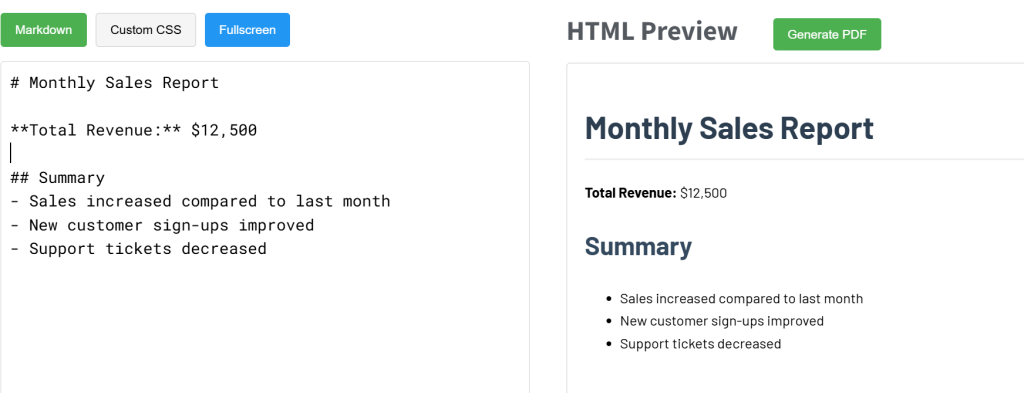
You can generate the PDF by simply clicking the generate PDF button. It’s super easy to use and completely free.
Example 2: Branded PDF Using HTML
HTML is a better choice when your PDF needs custom design, branding, or precise layout control. Because HTML works with CSS, you can customize colors, fonts, logos, spacing, and page structure. This makes it ideal for customer-facing documents like invoices, certificates, receipts, or contracts.
Below is a simple example of an HTML template that can be converted into a branded PDF:
<!DOCTYPE html>
<html>
<head>
  <style>
    body { font-family: Arial, sans-serif; }
    h1 { color: #1f3c88; }
    .brand { font-weight: bold; color: #1f3c88; }
  </style>
</head>
<body>
  <h1>Monthly Sales Report</h1>
  <p><span class="brand">Total Revenue:</span> $12,500</p>

  <h2>Summary</h2>
  <ul>
    <li>Sales increased compared to last month</li>
    <li>New customer sign-ups improved</li>
    <li>Support tickets decreased</li>
  </ul>
</body>
</html>
This HTML template can be converted into a PDF using HTML-to-PDF tools or cloud based services such as APITemplate.io, which allows you to generate branded PDFs with custom layouts, logos, and styling. HTML-based PDF generation is especially useful when you need professional-looking documents that match your company’s brand.
You can also convert HTML to PDF using libraries and programming languages. Popular options include headless browser tools like Puppeteer, Playwright, as well as language-specific libraries in Java, C#, Python, Node.js, PHP, and others.
If you are looking for a comparison table that summarizes different conversion methods for HTML to PDF documents, check out this article on HTML to PDF Conversion Methods.
Using APITemplate.io as a Cloud-Based Service for PDF Conversion
APITemplate.io is a cloud-based PDF generation service that lets you convert Markdown or HTML templates into PDFs without managing servers, rendering engines, or complex libraries. You simply provide your content and data, and APITemplate.io handles the conversion and PDF generation for you.
This approach works well for modern applications that need reliable, scalable PDF generation with minimal setup.
i. Using Markdown Templates with APITemplate.io
Markdown templates in APITemplate.io are designed for simplicity. You write your document using basic Markdown syntax, focusing on content rather than layout. APITemplate.io automatically converts the Markdown into HTML and then renders it as a PDF.
This makes Markdown templates easy to read, easy to maintain, and beginner-friendly especially for text-heavy documents.
Ideal use cases for Markdown templates include:
- Reports and summaries
- Simple invoices
- Documentation-style PDFs
- Any document where design is minimal
You don’t need to manually convert Markdown to HTML, APITemplate.io handles that step behind the scenes.
ii. Using HTML Templates with APITemplate.io
HTML templates give you full control over how your PDF looks. You create your template using HTML and CSS, just like a web page, and APITemplate.io converts it into a PDF.
With HTML templates, you can:
- Style fonts, colors, and spacing with CSS
- Control page breaks, headers, and footers
- Apply branding such as logos and brand colors
HTML templates are useful for professional, design-heavy, and customer-facing documents.
Injecting Dynamic Data into Templates
Both Markdown and HTML templates in APITemplate.io support dynamic data injection, which means your PDFs don’t have to be static. Instead of hard-coding values, you can pass data into your template at the moment the PDF is generated.
This allows you to insert information such as names, dates, totals, prices, customer details, or lists of items directly into the document. For example, the same invoice template can be reused for thousands of customers, with each PDF showing different data.
Dynamic data injection is especially useful when PDFs are created automatically by an application or system. Common use cases include:
- Invoices with customer-specific details
- Reports generated from database data
- Certificates with personalized names
- Contracts filled with dynamic terms and dates
Because APITemplate.io handles the data replacement and rendering for you, you can focus on building your application logic while the platform generates consistent, reliable PDFs in the background.
Conclusion
Markdown and HTML both work well for PDF generation, but they solve different problems. Markdown is best when you want speed, simplicity, and easy-to-maintain documents. HTML shines when layout, branding, and visual control matter more.
There’s no single “best” option, the right choice depends on your document, your team, and your design needs. The easiest way to decide is to try both and see which one fits your workflow.
If you want to experiment without setting up tools or writing complex code, try APITemplate.io. You can test Markdown and HTML templates, preview the results, and move from simple examples to automated PDF generation as your needs grow. Sign up for free to get started.