Free PDF Measuring Tool Online Instantly

Measure Distances, Check Dimensions & Verify PDF Page Sizes

A free online PDF measuring tool that lets you measure the distance between any two points in a PDF or image. Upload your file, click two points to measure, and calibrate with a known distance for accurate real-world measurements. Supports PDF, JPG, PNG, GIF, and WebP. Download an annotated PDF with all your measurements marked. No software installation, no sign-up required.

How to Measure a PDF in 3 Steps

1. Upload Your PDF or Image

Drop your PDF or image file into the tool or click to browse. Supports PDF, JPG, PNG, GIF, and WebP.

2. Click Two Points to Measure

Click any two points on your document to measure the distance between them. Calibrate with a known distance for real-world accuracy, and hold Ctrl to snap to 0°, 45°, or 90° angles.

3. Download Annotated PDF

Review your measurements in the panel and download an annotated PDF with all measurement lines marked on the document.

Why Use Our Free PDF Measuring Tool?

The easiest way to measure distances, check dimensions, and verify page sizes in any PDF online.

Lightning Fast

Upload your PDF and start measuring instantly. Click two points and get the distance in seconds.

💯

100% Free

No hidden fees, no subscription required. Measure as many PDFs as you need, completely free.

🔒

Privacy First

Your files are processed in your browser. Nothing is uploaded to any server.

📏

Accurate Calibration

Calibrate with a known distance on your document to get precise real-world measurements in inches, millimeters, or centimeters.

📐

Snap to Angles

Hold Ctrl to snap your measurement lines to 0°, 45°, or 90° for perfectly straight horizontal, vertical, or diagonal measurements.

📱

Works with PDFs and Images

Supports PDF, JPG, PNG, GIF, and WebP — measure anything, not just PDFs.

Build Document Automation That Scales With APITemplate

APITemplate is an API-first platform that generates professional PDFs and images at scale from reusable templates, raw HTML, or URLs. Integrate via REST API, SDKs, or no-code tools like Zapier, Make, and n8n.

Create Document Templates with Visual Editor

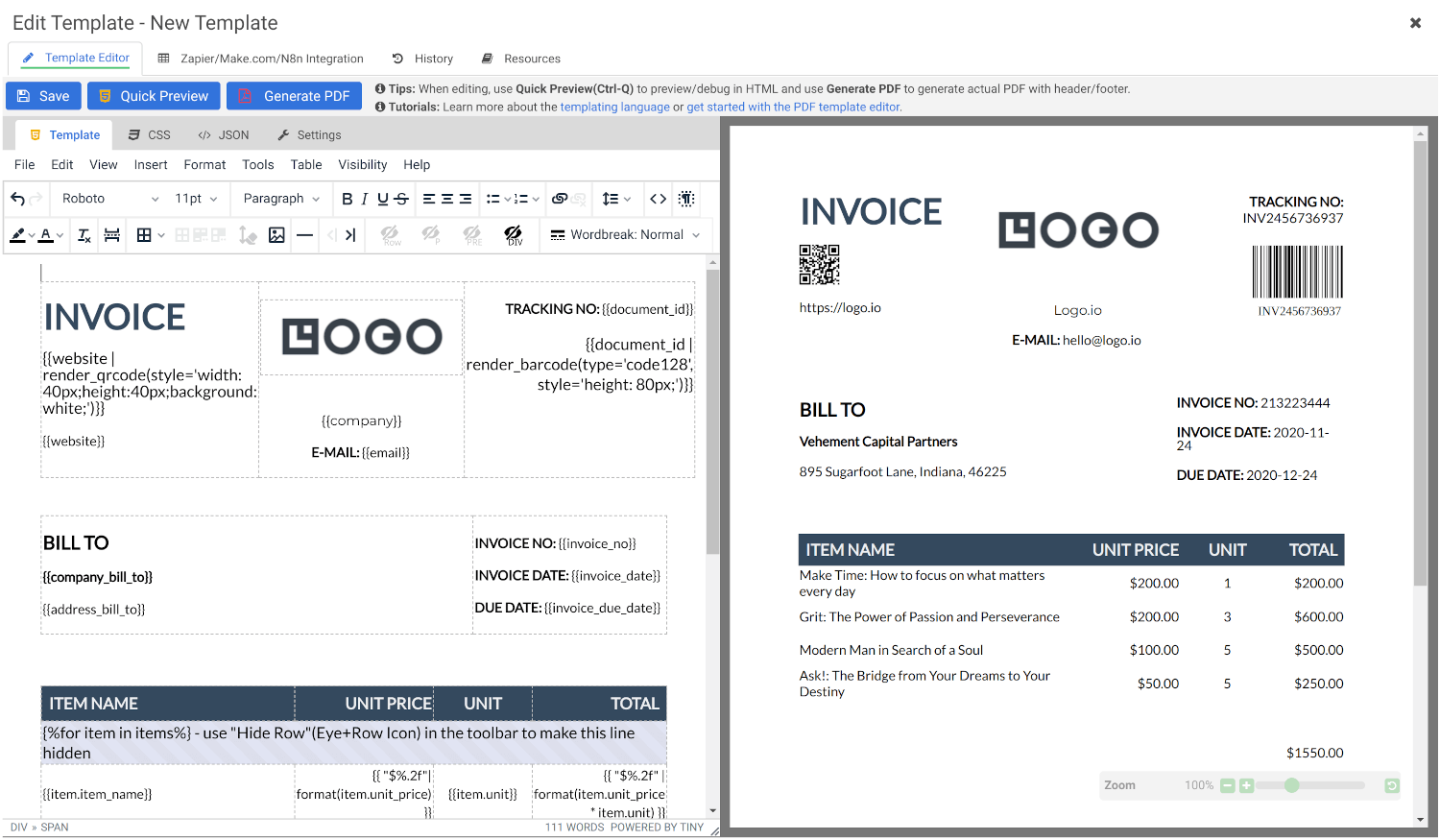
Create stunning PDFs using our  WYSIWYG Template Editor. With its user-friendly interface, you can design templates visually — no coding required.

Combine your designs with JSON data to generate dynamic, fully-customized PDFs tailored to your needs. Perfect for invoices, reports, certificates, and more.

Convert HTML to PDF

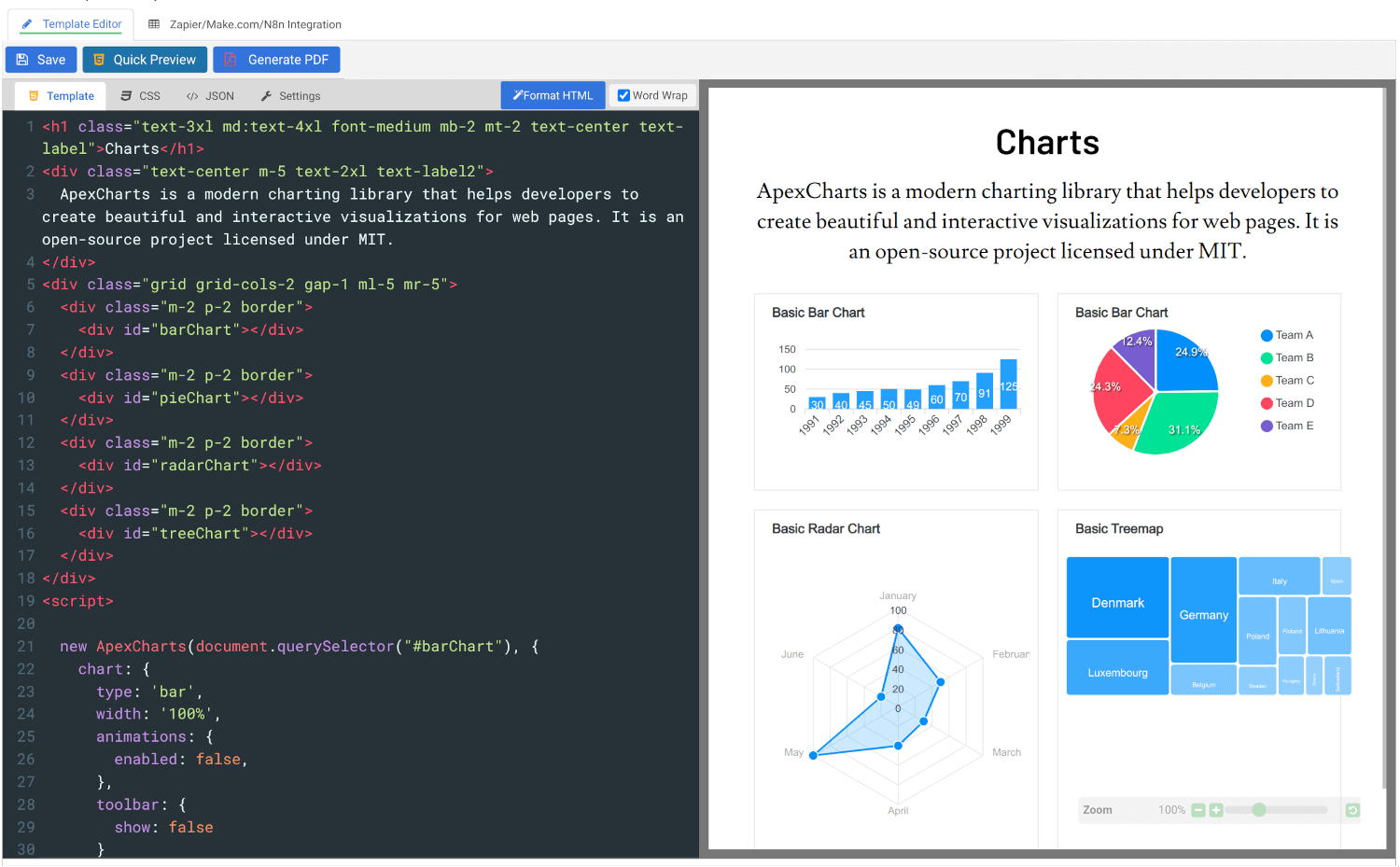
Convert HTML to PDF using APITemplate.io’s powerful HTML Template Editor. Combine your HTML, CSS, and JavaScript skills with dynamic JSON data to create custom templates that deliver pixel-perfect PDFs.

Our PDF generation solution supports modern web technologies, enabling seamless integration for your automated workflows, reports, and more.

Get started for FREE, No Creditcard required

Customer Reviews

Trusted by businesses worldwide to generate millions of PDFs and images reliably.

See what our customers have to say

Frequently asked questions

What is a PDF measuring tool?

A PDF measuring tool is a free online tool that lets you measure the distance between any two points in a PDF or image directly in your browser. Upload your file, click two points, and get the measurement.

How do I get accurate real-world measurements from a PDF?

Use the Calibrate feature. Click Calibrate, select two points on your document where you know the real distance, for example, a 1-inch margin or a known object size, enter the actual value, and click Apply. All subsequent measurements will be scaled to match real-world dimensions.

What units can I measure in?

You can measure in inches and switch units using the dropdown next to the Calibrate button. Calibration ensures the measurements match real-world dimensions regardless of how the PDF was created.

Can I measure images as well as PDFs?

Yes. The tool supports PDF, JPG, PNG, GIF, and WebP files. You can measure distances on any of these formats the same way.

Can I snap measurement lines to straight angles?

Yes. Hold Ctrl while clicking your second point to snap the measurement line to 0°, 45°, or 90° angles. This is useful for measuring perfectly horizontal or vertical distances.

Can I save my measurements?

Yes. Click Download Annotated PDF to save a copy of your document with all measurement lines marked on it.

Can I check the page size and dimensions of my PDF?

Yes. This tool lets you visually verify page dimensions by measuring edge to edge. If you also need to check the DPI and resolution quality of images inside your PDF, use our free PDF DPI Analyzer.

Is my PDF safe when using this tool?

Yes. Your file is processed entirely in your browser and never uploaded to any server. Nothing is stored or shared.

Can I measure a PDF before compressing it?

Yes. If you want to verify dimensions or layout before reducing file size, measure first, then use our free Compress PDF tool to reduce the file size without affecting the page dimensions.

What is APITemplate.io?

APITemplate.io is designed for generating PDF documents from reusable templates. It can be easily integrated with popular tools like Zapier, Airtable, Make.com, Bubble.io, n8n, UiPath, or directly via REST API, making it highly adaptable to various workflows.

There are three main ways to generate PDF documents using APITemplate.io:

  1. Template-based PDF generation: Create PDFs from predefined templates.
  2. HTML to PDF generation: Convert HTML content directly into PDF format.
  3. URL to PDF generation: Convert entire web pages to PDFs by simply providing their URLs.

The platform also supports custom CSS and JavaScript, allowing for advanced styling and customization. Its powerful template engine helps you create complex documents efficiently, while the API Console lets you preview and customize JSON data instantly.

In addition, APITemplate.io supports custom headers and footers, including page numbers and total page counts, making it an excellent choice for creating polished, professional PDF documents.

Get started for FREE, No Creditcard required

Related Free PDF Tools

Whatever comes next, compressing, merging, splitting, or converting APITempate has a free tool ready for it. Explore all free PDF tools and keep the work moving.

Still Managing PDFs Manually? It’s Time to Automate.

Use APITemplate to automate bulk invoices, reports, and certificates from reusable templates, raw HTML, or URLs. Integrate with Zapier, Make.com, n8n, or REST API.

Copyright © 2026 APITemplate.io