Visual Template Editor (WYSIWYG)
The Visual Template Editor lets you create PDF templates without writing any HTML or CSS. It's a rich text editor where you can format your document visually and insert dynamic variables.
Watch this short walkthrough to see the Visual Template Editor in action:
Getting started
- Go to Manage Templates > New PDF Template
- Select Create PDF with Visual Editor, choose a starter template, and click Create
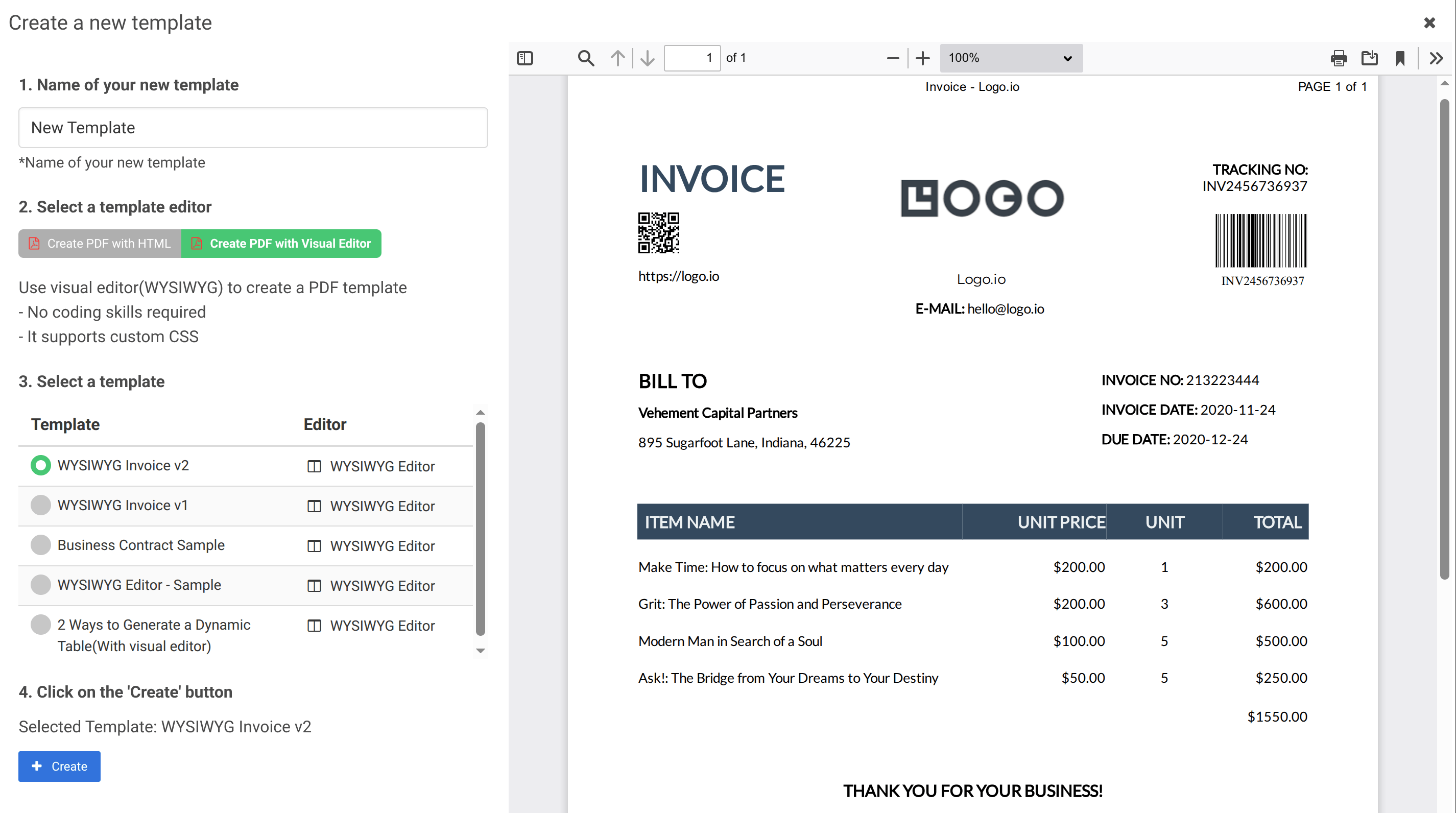
- Back on the Manage Templates page, click Launch Editor on your new template
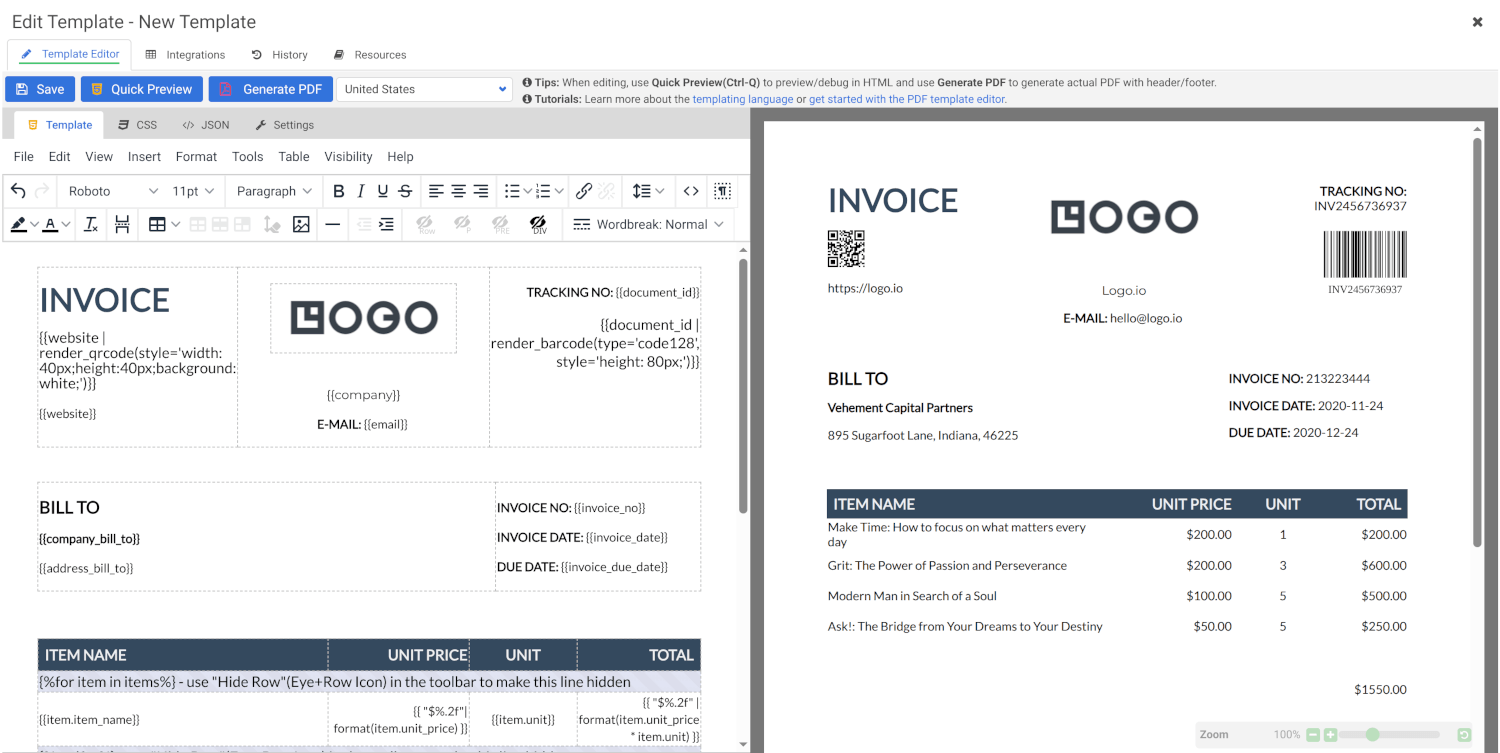
- The editor has four tabs:
- Template — the rich text editor where you write your content and insert dynamic Jinja2 variables. At generation time, the engine merges your template with the JSON data you provide via the API.
- CSS — add styles and include external fonts, JavaScript libraries, and other resources.
- Sample JSON — provide test data for previewing your template.
- Settings — configure paper size, orientation, margins, and custom header/footer HTML (see Headers and Footers).
What you can do
The visual editor works like a word processor:
- Format text — bold, italic, underline, font size, color, alignment
- Insert tables — create structured data layouts
- Add images — embed logos, photos, and graphics
- Use variables — insert
{{variable_name}}placeholders that get replaced with JSON data - Structure content — headings, paragraphs, lists, horizontal rules
Using dynamic variables
Even in the visual editor, you can use Jinja2 syntax. Just type the variable placeholder directly:
Dear {{customer_name}},

Your order #{{order_number}} has been confirmed.
Total: {{total_amount}}
The visual editor supports:
- Simple variable substitution:
{{variable}} - Loops:
{% for item in items %}...{% endfor %} - Conditions:
{% if condition %}...{% endif %}
When to use it
The visual editor is a great fit when:
- You need to create simple, text-heavy documents
- You or your team aren't comfortable with HTML/CSS
- You want a quick way to prototype a document layout
- The document doesn't require complex styling or custom layouts
For more complex needs, consider the Code/HTML Template Editor.
Further reading
- HTML vs Visual Editor — when to use which
- Template Language — learn Jinja2 variables, loops, and conditions