Bubble.io Integration
Bubble.io is a no-code app development framework that lets you build web and mobile apps without writing any code. With the official APITemplate.io plugin for Bubble.io, you can generate PDFs and images directly from your Bubble app data — no coding required.
With this integration you can:
- Generate PDFs (invoices, reports, certificates) from your Bubble app data
- Generate images (social media graphics, product images) dynamically
- Email the results to users by combining the plugin with Bubble's email action
- Generate PDFs asynchronously (since plugin v1.6.1) to handle large documents that would otherwise hit Bubble's 30-second request timeout — APITemplate.io renders the file in the background and calls a webhook in your app when it's ready
For the full step-by-step walkthrough with additional details, see the blog post: How to generate PDF documents and Images with Bubble.io
Prerequisites
You need accounts on both services:
- Bubble.io — sign up at bubble.io
- APITemplate.io — sign up at app.apitemplate.io
Step-by-step guide
Step 1 — Set up APITemplate.io
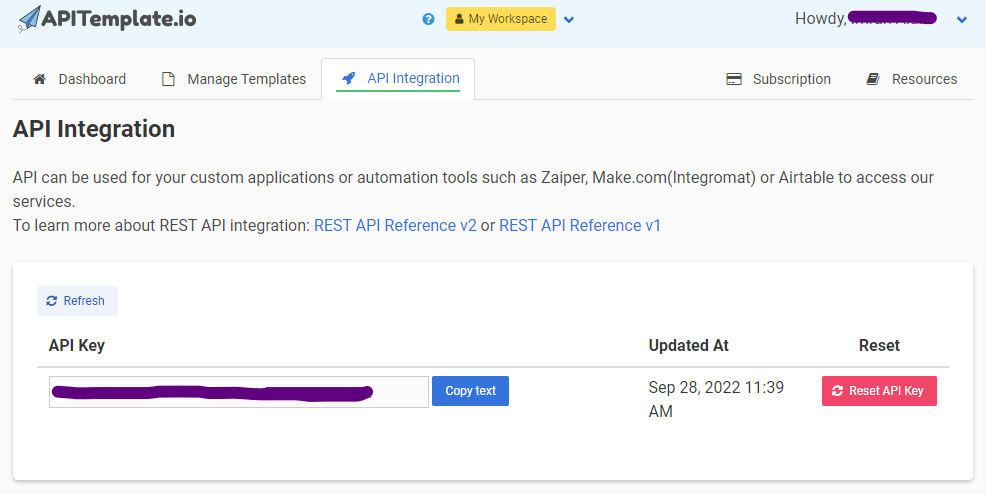
Obtain your API key
Log in to APITemplate.io, go to the API Integration tab, and copy your API key.
Create a PDF template
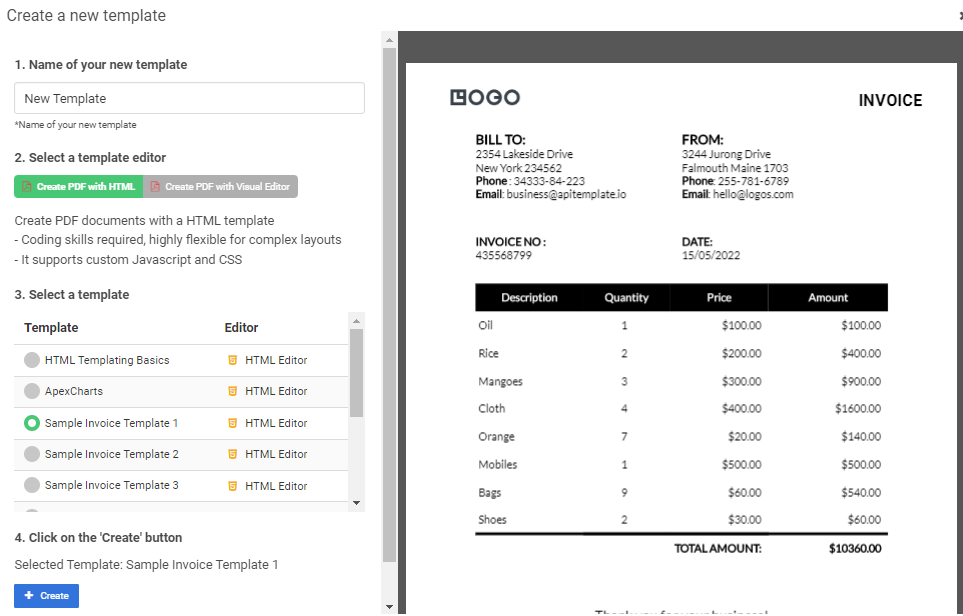
- Navigate to Manage Templates
- Click New PDF Template
- Give your template a name and select a base template (e.g. Sample Invoice Template 1)
- Click Create
- Copy the template ID from the Manage Templates page
Create an image template
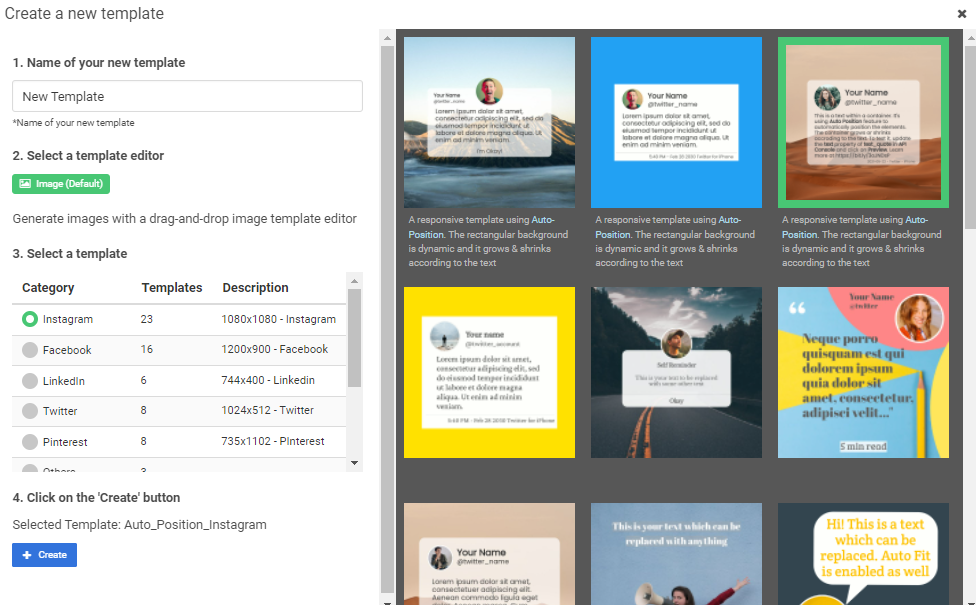
- Click New Image Template and give it a name
- Select a base template (e.g. Instagram)
- Click Create
- Copy the template ID from the Manage Templates page
Step 2 — Build your Bubble.io app
Design the app layout
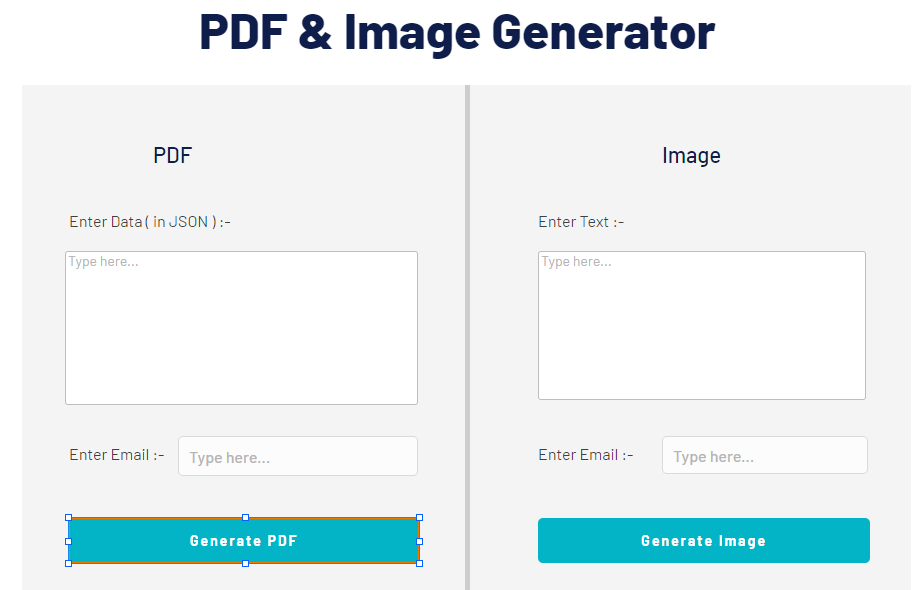
Create a page with two sections — one for PDF generation and one for image generation. Each section needs:
- A Multiline TextField for the user to enter data (JSON or key-value pairs)
- An Input Field for the recipient email address
- A Button to trigger generation
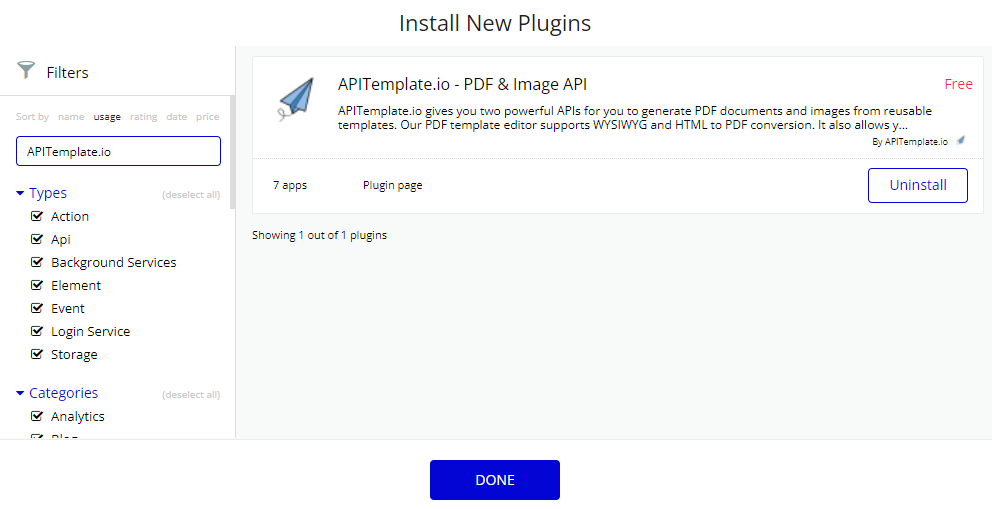
Install the APITemplate.io plugin
- In your Bubble editor, go to Plugins → Add plugins
- Search for APITemplate.io
- Install the APITemplate.io - PDF & Image API plugin
- Go to the API Keys section on the plugin page and paste your API key
Step 3 — Generate PDFs
Set up a workflow on the Generate PDF button:
- Double-click the button and select Start/Edit Workflow
- Click Click here to add an action → go to Plugins → select Generate PDF
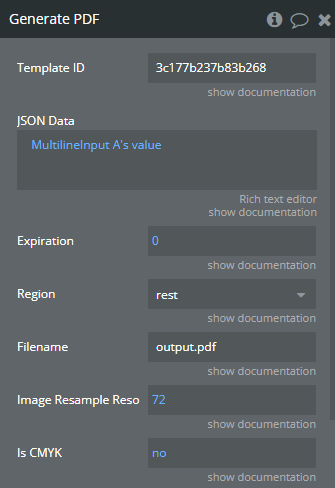
- Configure the action:
| Field | Description |
|---|---|
| Template ID | The ID of your PDF template (from Manage Templates) |
| JSON Data | Map to your Multiline TextField's value |
| Expiration | Number of days the generated PDF remains accessible |
| Region | Your APITemplate.io region |
| Filename | Desired filename for the PDF |
| Export Type | Select URL to receive a download link |
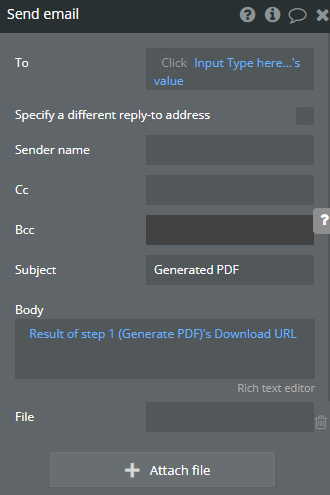
- Add a second action — Send Email — and map the body to the Download URL from the Generate PDF result
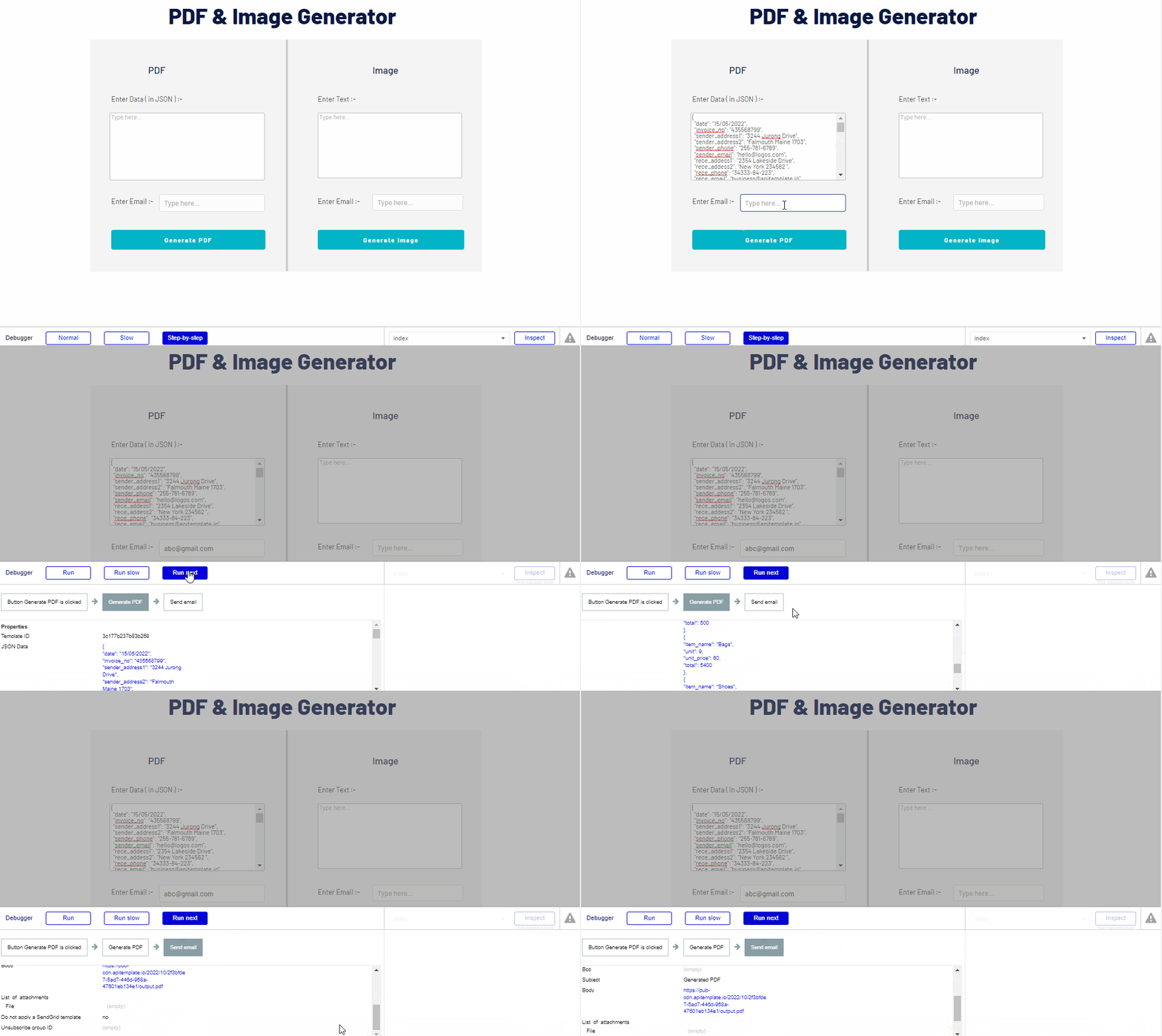
Result
When a user clicks Generate PDF, the workflow creates a PDF and emails the download link:
Step 4 — Generate images
Set up a workflow on the Generate Image button following the same pattern:
- Double-click the button and select Start/Edit Workflow
- Click Click here to add an action → go to Plugins → select Generate Image
- Configure the action:
| Field | Description |
|---|---|
| Template ID | The ID of your image template |
| Payload Type | Choose JSON or Dictionary (key-value pairs) |
| Payload | Map keys from your template to values from the input field |
| Expiration | Number of days the generated image remains accessible |
| Region | Your APITemplate.io region |
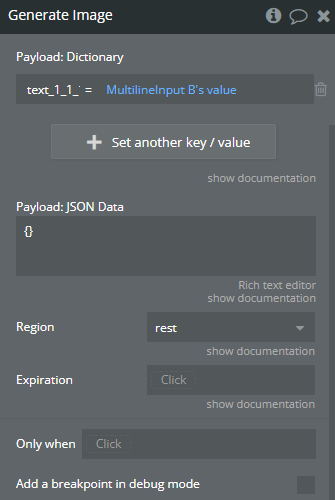
- Add a Send Email action and map the body to the Download URL from the Generate Image result
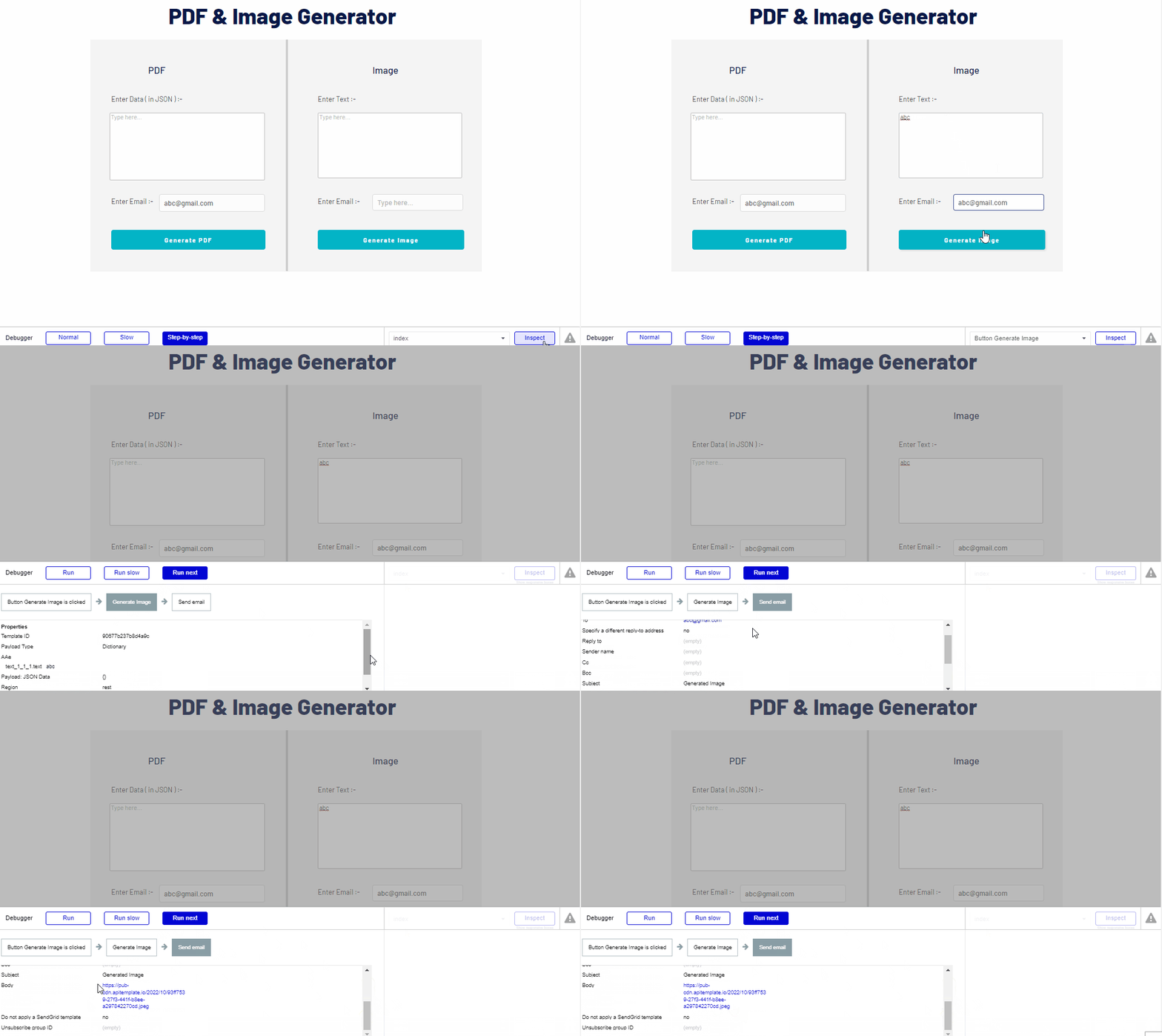
Result
When a user clicks Generate Image, the workflow creates an image and emails the download link:
Asynchronous PDF generation
Asynchronous PDF generation is supported in the APITemplate.io Bubble plugin since v1.6.1.
Why you need async
Bubble caps every API request at around 30 seconds. If a PDF takes longer than that to render — for example a large document with many pages, heavy images, or embedded charts — the synchronous Generate PDF call will time out before the file is ready.
Asynchronous generation avoids this: the plugin returns immediately, APITemplate.io renders the PDF in the background, and when it's done it calls a webhook in your Bubble app with the result.
Configure the async action
On your Generate PDF action, set the following options:
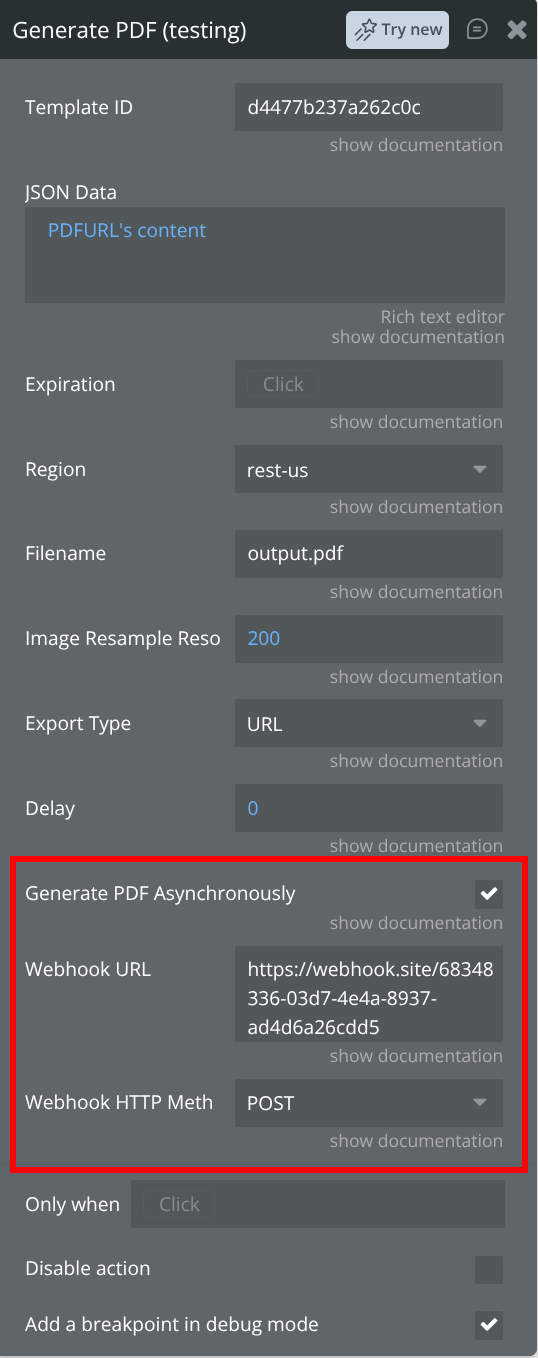
| Field | Description |
|---|---|
| Generate PDF Asynchronously | Check this box to enable async generation |
| Export Type | Select URL so the callback returns a download link |
| Webhook URL | The URL APITemplate.io calls once the PDF is ready (point this at a Bubble backend API workflow — see below) |
| Webhook HTTP Method | The method used for the callback, typically POST |
How to setup Bubble backend API workflow
The Webhook URL should point to a Bubble backend API workflow (under Settings → API → enable workflow API and backend workflows). Create a workflow with a public endpoint and define the callback fields below as parameters on that workflow, so they're available downstream.
Per the Create PDF API reference, once the PDF is generated APITemplate.io calls your Webhook URL (using the configured Webhook HTTP Method) and passes these parameters:
| Parameter | Description |
|---|---|
primary_url | The URL to the generated PDF document — use this to save or email the file |
transaction_ref | The unique transaction reference number |
status | The transaction result, either success or error |
message | A status message with additional context |
html_url | (Optional) URL to the rendered HTML page, only included when output_html is set to 1 |
A sample callback looks like:
https://your-app.bubbleapps.io/api/1.1/wf/apitemplate_webhook?primary_url=https%3A%2F%2Fpub-cdn.apitemplate.io%2F...%2Ffile.pdf&transaction_ref=b692183d-46d7-3213-891a-460a5814ad3f&status=success&message=...
APITemplate.io retries the webhook call up to 3 times before giving up, so make sure your backend workflow responds quickly.
When the callback arrives, your workflow can then:
- Save
primary_urlto your Bubble database against the matchingtransaction_ref - Email the download link to the user
- Update a status field so your UI knows the PDF is ready
Watch the walkthrough below to see how to set up a Bubble backend workflow to receive the webhook:
Example use cases
- Invoicing app — user fills out invoice details in a form, workflow generates a PDF invoice, download URL is saved and displayed
- Certificate generator — form submission triggers a personalized certificate PDF
- Social media tool — user enters product data, workflow generates branded images for social media
- Report builder — aggregate data in Bubble's database and generate a PDF report on demand
Tips
- Use the Dictionary payload type for image generation — it's simpler for flat key-value data
- Use JSON payload type for PDF templates that need hierarchical or complex data
- Combine the plugin with Bubble's built-in Send Email action to deliver generated files automatically
- Store the
download_urlin your Bubble database so users can access their generated files later