
JSON to PDF Converter
Turn JSON Data into Readable PDFs Instantly
A free browser-based tool that converts raw JSON into professionally formatted PDF documents. Arrays are rendered as tables, objects as labeled sections, and values as clean key-value pairs. Customize the theme, page size, orientation, and font. No sign-up or server required.
Pick a sample below to get started, upload your own JSON file, or paste JSON directly into the editor, then hit Generate PDF.
Upload File
Drop or click to load your JSONFrequently asked questions
What is this tool about?
This tool converts raw JSON data into clean, readable PDF documents. Instead of printing raw JSON text, it intelligently formats your data — arrays of objects become tables, nested objects become labeled sections, and primitive values are displayed as key-value pairs.
Is the tool free?
Yes, the tool is completely free to use. There are no hidden charges, sign-ups, or subscription requirements. Everything runs directly in your browser.
How to convert JSON to PDF online for free?
Here are the steps for converting JSON to PDF online:
- Go to the JSON to PDF Converter tool.
- Select how you want to provide your JSON: click a sample (Invoice, Packing List, or Employee Directory), upload a JSON file, or paste your JSON directly into the editor.
- Optionally set a document title, title alignment, color theme, font size, page size, and orientation.
- Click the "Generate PDF" button to create the PDF.
- The PDF will be downloaded automatically to your device.
Is my data secure?
Yes. The entire conversion happens locally in your browser. Your JSON data is never uploaded to any server, so your information stays completely private.
What JSON structures are supported?
The tool supports any valid JSON structure including objects, arrays, nested objects, arrays of objects, arrays of primitives, and deeply nested combinations. Arrays of objects are automatically rendered as tables, while nested objects become labeled sections with key-value pairs.
Can I customize the PDF output?
Yes. You can customize the document title and its alignment (left, center, or right), choose from 8 color themes, adjust the font size, select from 10 page sizes (A3 through Executive), set portrait or landscape orientation, and toggle page numbers on or off.
What color themes are available?
The tool offers 8 PDF color themes: Indigo, Slate, Emerald, Rose, Amber, Ocean, Crimson, and Monochrome. Each theme changes the headings, table headers, and accent colors in the generated PDF.
Do I need to install anything?
No. The tool works entirely in your web browser. There is no software to download or install, and no account registration is needed.
What file formats can I upload?
You can upload any .json file. Alternatively, you can paste raw JSON text directly into the editor. The tool also includes built-in sample JSON documents so you can try it out instantly.
What is APITemplate.io?
APITemplate.io is designed for generating PDF documents from reusable templates. It can be easily integrated with popular tools like Zapier, Airtable, Make.com, Bubble.io, n8n, UiPath, or directly via REST API, making it highly adaptable to various workflows.
There are three main ways to generate PDF documents using APITemplate.io:
- Template-based PDF generation: Create PDFs from predefined templates.
- HTML to PDF generation: Convert HTML content directly into PDF format.
- URL to PDF generation: Convert entire web pages to PDFs by simply providing their URLs.
The platform also supports custom CSS and JavaScript, allowing for advanced styling and customization. Its powerful template engine ensures that you can create complex documents efficiently, while the API Console enables you to preview and customize JSON data instantly.
In addition, APITemplate.io offers support for adding custom headers and footers, including page numbers and total page counts, making it an excellent choice for creating polished, professional PDF documents.
Get started for FREE, No Creditcard required
APITemplate.io Offers API for PDF Generation
Auto-generate PDFs with HTML and WYSIWYG
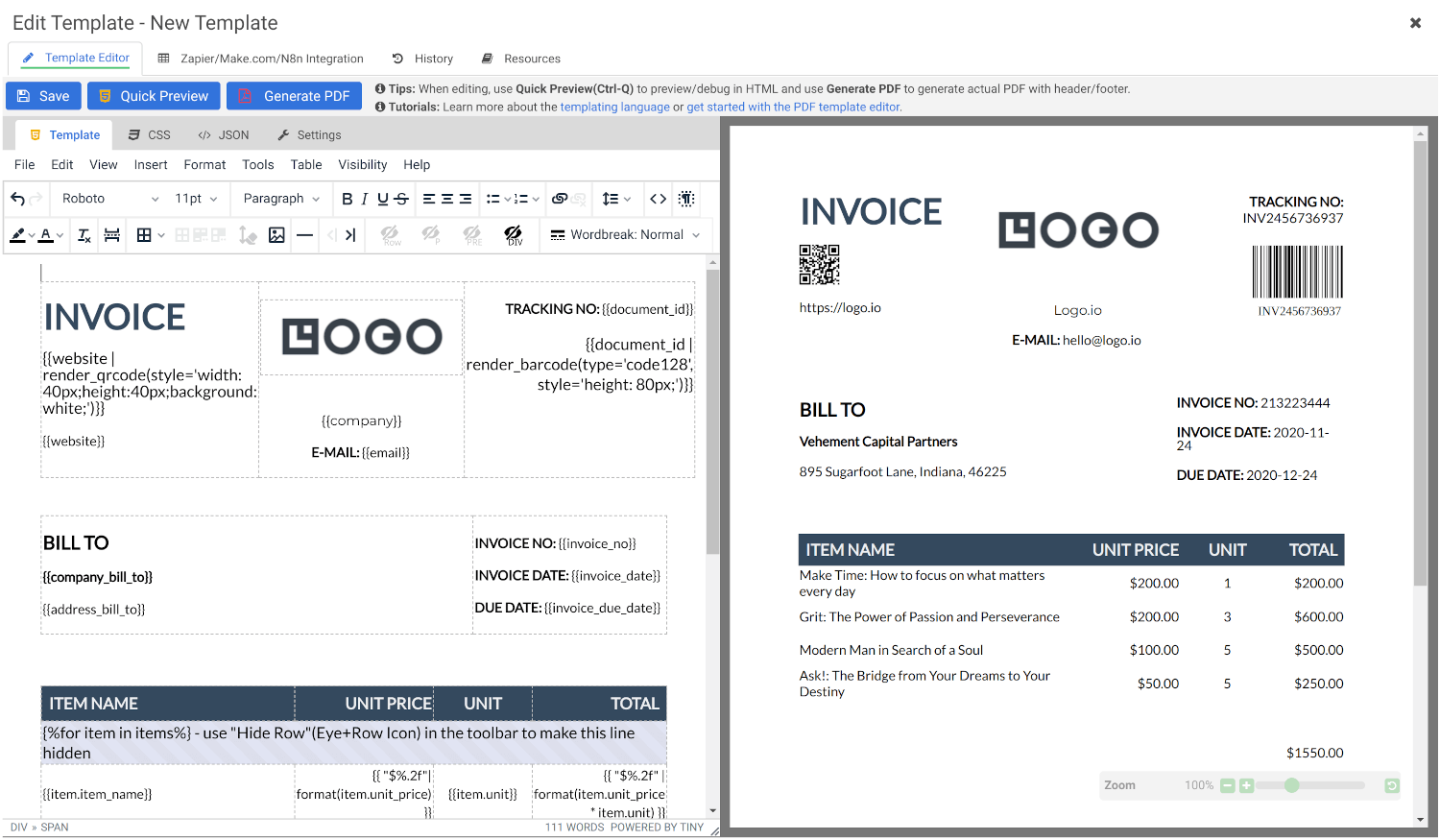
Create Document Templates with Visual Editor
Create stunning PDFs using our WYSIWYG Template Editor. With its user-friendly interface, you can design templates visually — no coding required.
Combine your designs with JSON data to generate dynamic, fully-customized PDFs tailored to your needs. Perfect for invoices, reports, certificates, and more.
Convert HTML to PDF
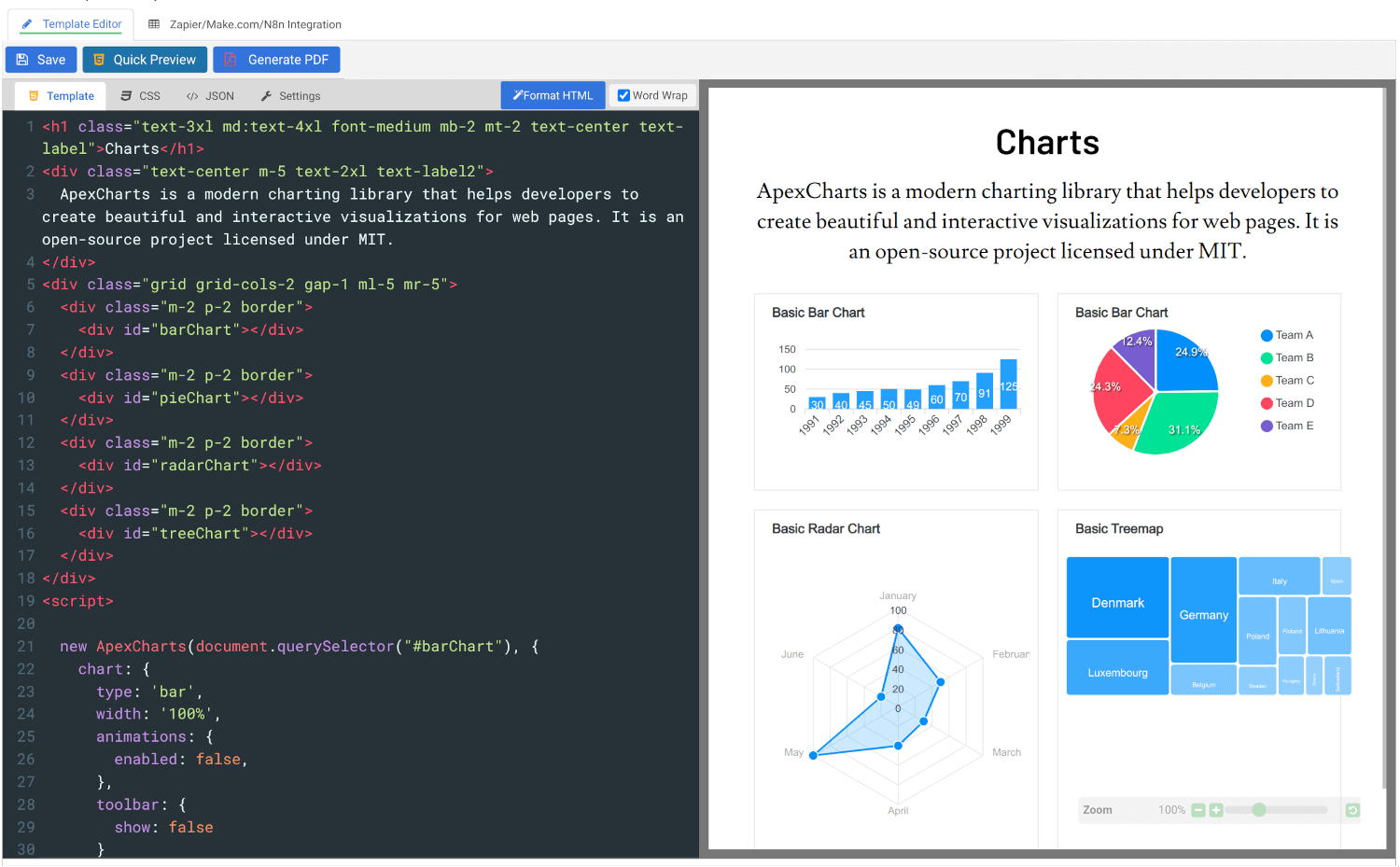
Effortlessly convert HTML to PDF using APITemplate.io’s powerful HTML Template Editor. Combine your HTML, CSS, and JavaScript skills with dynamic JSON data to create custom templates that deliver pixel-perfect PDFs.
Our PDF generation solution supports modern web technologies, enabling seamless integration for your automated workflows, reports, and more.
Get started for FREE, No Creditcard required
- All Tools
- Convert HTML to PDF
- PDF DPI Analyzer
- JSON to PDF Converter
- Compress PDF
- Extract Images from PDF
- Convert Markdown to PDF
- Extract Text From PDF
- Add Watermark to PDF
- Extract/Edit PDF Metadata
- Add Page Numbers to PDF
- Merge Multiple PDFs
- Split PDF
- Rotate PDF Pages
- Convert PDF to HTML
- Convert PDF to PNG
- Convert PDF to JPEG
- Convert PNG to PDF
- Convert JPEG to PDF
- JSON Validator/Formatter
- Free Image Optimizer
- PDF Measuring Tool
- Protect & Unlock PDF
- Edit documents securely