Protect or Unlock PDF Online For Free
PDF Protect & Unlock is a free, privacy-first tool for adding or removing password protection on PDF files.
Frequently asked questions
What is this tool about?
PDF Protect & Unlock is designed to help users add or remove password protection on PDF files. You can unlock a password-protected PDF by providing its password, or protect an unprotected PDF by setting a user password (required to open) and an optional owner password (controls editing and printing permissions).
Is the tool free?
Yes, the tool is completely free to use without any hidden charges or subscription requirements. Protect or unlock your PDFs anytime without limitations.
How to unlock a PDF online for free?
Follow these simple steps to remove password protection from a PDF:
- Select the "Unlock PDF" tab.
- Drag and drop your password-protected PDF into the upload area or click to select a file.
- Enter the PDF's password.
- Click "Unlock PDF" and download the unprotected version.
How to password-protect a PDF online for free?
Follow these simple steps to add password protection to a PDF:
- Select the "Protect PDF" tab.
- Drag and drop your PDF into the upload area or click to select a file.
- Choose a user password (required to open the PDF) and confirm it.
- Optionally set an owner password to control editing and printing permissions.
- Click "Protect PDF" and download your secured file.
Is my data safe?
Absolutely. All processing happens entirely in your browser using WebAssembly technology. Your PDF files are never uploaded to any server—they stay on your device throughout the entire process.
What is a user password?
A user password (also called an "open password") is required to open and view the PDF. Anyone attempting to access the document will be prompted to enter this password before the contents are displayed.
What is an owner password?
An owner password (also called a "permissions password") controls what actions are allowed on the PDF, such as editing, printing, and copying content. If you don't set a separate owner password, the user password is used for both roles.
Do I need both passwords?
No. A user password is required to protect your PDF, but the owner password is optional. If you only set a user password, it will also be used as the owner password. Setting a separate owner password is useful when you want to give people access to view the document while restricting their ability to edit or print it.
What encryption is used?
The tool uses standard PDF encryption to protect your documents. This is the same encryption method used by professional PDF software, ensuring broad compatibility with PDF readers and editors.
Can I unlock any PDF?
You can unlock any PDF for which you know the password. The tool does not bypass or crack unknown passwords—it simply removes the protection when the correct password is provided.
Will unlocking change my PDF content?
No. Unlocking a PDF only removes the password protection. All pages, text, images, and other content in the document remain completely unchanged.
What PDF readers support the protected files?
Password-protected PDFs created by this tool are compatible with all major PDF readers and applications, including:
- Adobe Acrobat Reader
- Preview (macOS)
- Chrome, Firefox, Edge, and other web browsers
- Mobile PDF readers on iOS and Android
What is APITemplate.io?
APITemplate.io is designed for generating PDF documents from reusable templates. It can be easily integrated with popular tools like Zapier, Airtable, Make.com, Bubble.io, n8n, UiPath, or directly via REST API, making it highly adaptable to various workflows.
There are three main ways to generate PDF documents using APITemplate.io:
- Template-based PDF generation: Create PDFs from predefined templates.
- HTML to PDF generation: Convert HTML content directly into PDF format.
- URL to PDF generation: Convert entire web pages to PDFs by simply providing their URLs.
The platform also supports custom CSS and JavaScript, allowing for advanced styling and customization. Its powerful template engine ensures that you can create complex documents efficiently, while the API Console enables you to preview and customize JSON data instantly.
In addition, APITemplate.io offers support for adding custom headers and footers, including page numbers and total page counts, making it an excellent choice for creating polished, professional PDF documents.
Get started for FREE, No Creditcard required
APITemplate.io Offers API for PDF Generation
Auto-generate PDFs with HTML and WYSIWYG
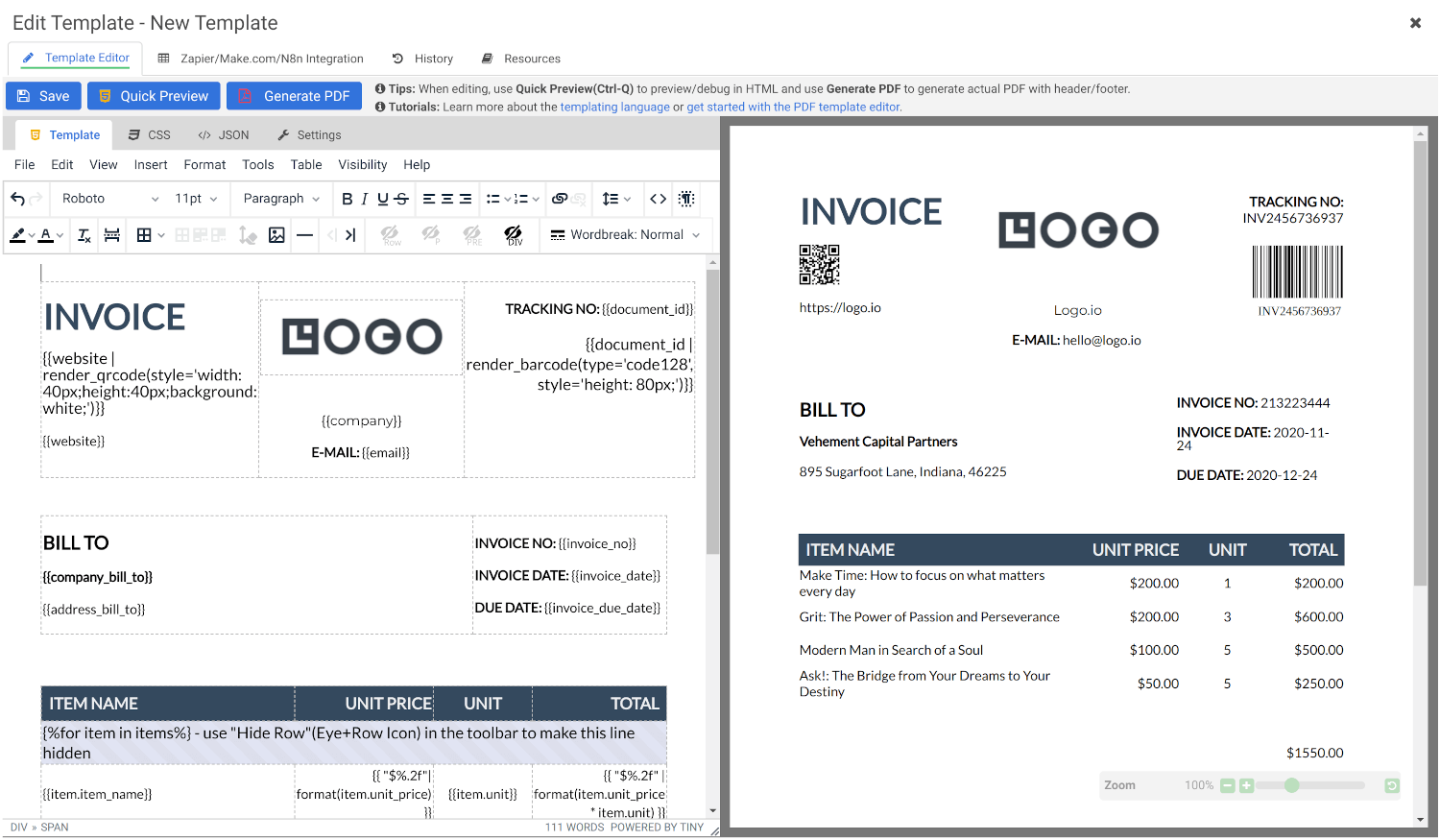
Create Document Templates with Visual Editor
Create stunning PDFs using our WYSIWYG Template Editor. With its user-friendly interface, you can design templates visually — no coding required.
Combine your designs with JSON data to generate dynamic, fully-customized PDFs tailored to your needs. Perfect for invoices, reports, certificates, and more.
Convert HTML to PDF
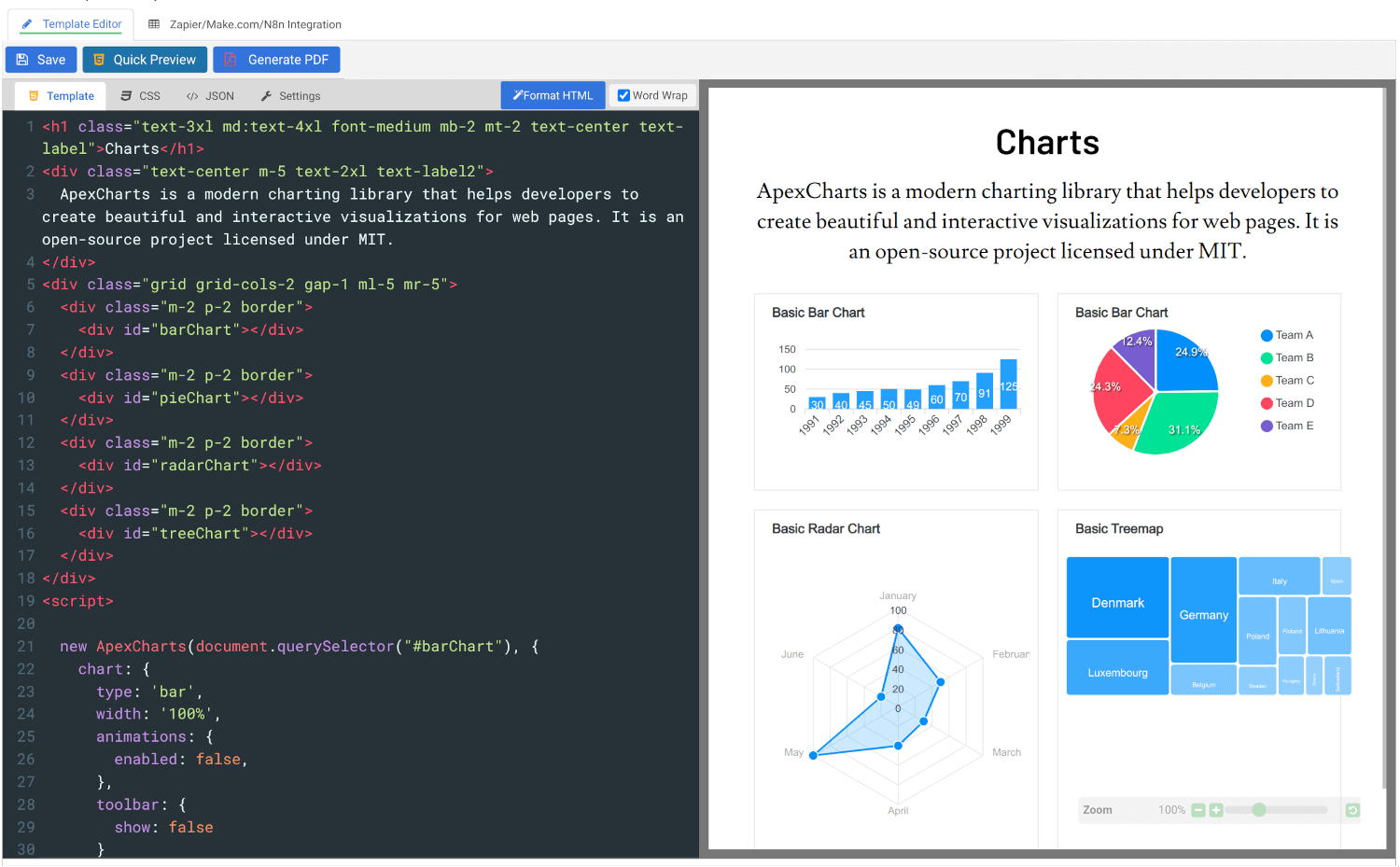
Effortlessly convert HTML to PDF using APITemplate.io’s powerful HTML Template Editor. Combine your HTML, CSS, and JavaScript skills with dynamic JSON data to create custom templates that deliver pixel-perfect PDFs.
Our PDF generation solution supports modern web technologies, enabling seamless integration for your automated workflows, reports, and more.
Get started for FREE, No Creditcard required
- All Tools
- Convert HTML to PDF
- PDF DPI Analyzer
- JSON to PDF Converter
- CSV to PDF Converter
- Compress PDF
- Extract Images from PDF
- Convert Markdown to PDF
- Extract Text From PDF
- Add Watermark to PDF
- Extract/Edit PDF Metadata
- Add Page Numbers to PDF
- Merge Multiple PDFs
- Split PDF
- Convert PDF to HTML
- Convert PDF to PNG
- Convert PDF to JPEG
- Convert PNG to PDF
- JSON Validator/Formatter