
Best PDF Generation APIs in 2026: 6 Template-Based APIs Compared
 By APITemplate.io
Compare six template-based PDF generation APIs for 2026: CraftMyPDF, APITemplate.io, PDF Generator API, DocSpring, PDFMonkey and Carbone. Features, pricing and how to choose.
TL;DR:
What This Blog Covers:
A comparison of the best template-based PDF generation APIs in 2026: services where you design a document template once and send JSON data to generate each PDF. It ends with a practical framework to help you choose the right one for your use case.
Key Points:
- Template-based PDF APIs automate document creation (invoices, reports, certificates, contracts)
- They eliminate manual workflows and enable scalable document generation
- Key features to evaluate include the template editor, styling flexibility, data binding, and integrations
- Performance and scalability matter for high-volume use cases
- Security and compliance (SOC 2, GDPR, HIPAA, ISO 27001) are critical for sensitive documents
- The six APIs compared here are CraftMyPDF, APITemplate.io, PDF Generator API, DocSpring, PDFMonkey and Carbone
- Choosing the right API depends on your workflow, technical needs, data location and scale
Best For:
Developers, SaaS teams, and businesses looking to automate document workflows and choose the right solution.
Creating PDFs is still a common requirement for many applications. Developers often need to prepare invoices, reports, or certificates, but building a custom system for this takes time and adds complexity.
Manual approaches also slow down workflows and make scaling difficult.
PDF generation APIs solve this problem. These APIs let you generate documents automatically, integrate them into your workflows, and ensure that every file follows the right formatting and compliance rules.
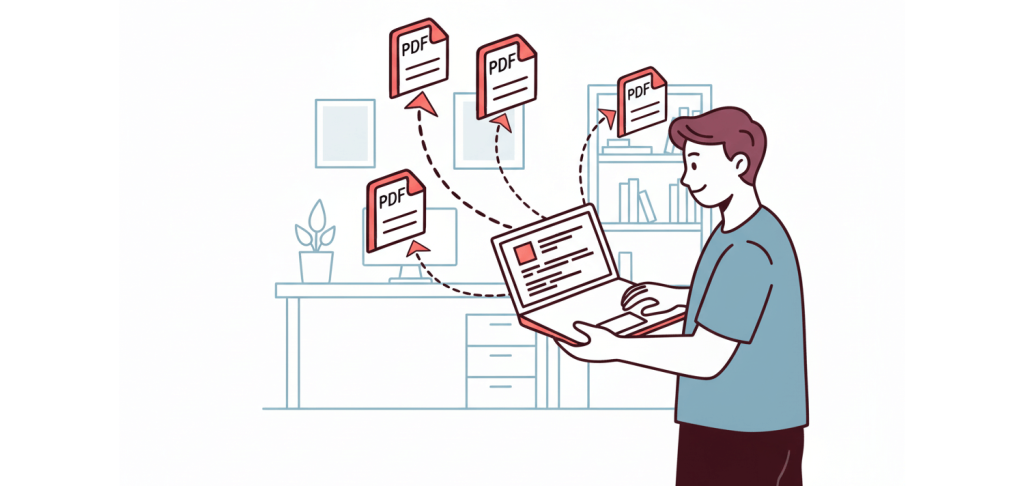
In this article, we review six template-based PDF generation APIs and highlight the key factors to consider when choosing one, such as templates, styling, performance, and compliance, to help developers and businesses automate PDF document creation effectively.
1. What is a PDF Generation API?
A PDF Generation API is a tool that helps your applications create PDF files automatically. You send data such as HTML, JSON, or content from a template to the API, and it gives you back a ready-to-use PDF document.
This saves you from building a PDF engine from scratch.
The main idea is that your system connects with the API, sends information, and receives a PDF in return. This makes document creation part of your workflow, so you do not have to prepare files manually.
PDF generation APIs come in two kinds:
- Template-based APIs store your document design as a template. Each API call sends only the data, such as a customer name or a list of line items, and the service fills the template and returns the PDF. This guide compares these.
- HTML-to-PDF APIs convert HTML or a web page that your own code has already built. If that is all you need, see our HTML to PDF API, the two conversion APIs at the end of section 3, and our comparison of the best HTML to PDF APIs.
2. Benefits of Using a PDF Generator API
A PDF generator API automates document creation for you. Instead of creating files one by one, you can generate thousands of PDFs automatically. This is useful when your business needs large numbers of invoices, receipts, or reports every day.
It also gives you template flexibility. You can design reusable document templates once using HTML or a visual editor, then reuse them whenever you need new documents. With support for JSON data, you can fill in variables such as customer names, order details, or certificate fields.
You also get full control of the design. APIs support CSS, fonts, headers, and footers. This allows you to match your branding and keep your layout consistent across all documents.
Another benefit is data integration. You can connect the API to your CRM, database, or other systems. The structured data flows into the templates, so the PDFs are created with the right content automatically.
Scalable performance is another strength. You can send requests in real time for a single PDF or use asynchronous processing to handle bulk jobs. This ensures the system works smoothly whether you need one document or thousands.
Finally, security and compliance are part of the package. Many APIs support GDPR and HIPAA requirements. With regional hosting, your data stays within the right location, which helps you meet privacy standards.
Quick Comparison of the Top 6 Template-Based PDF Generation APIs
Prices and features as listed on each vendor’s website on 21 November 2026. CraftMyPDF, APITemplate.io and DocSpring price in US dollars; PDF Generator API, PDFMonkey and Carbone in euros.
| CraftMyPDF | APITemplate.io Editor’s pick | PDF Generator API | DocSpring | PDFMonkey | Carbone | |
|---|---|---|---|---|---|---|
| Template editor | Drag-and-drop (visual) | WYSIWYG + HTML editor | Drag-and-drop + HTML/CSS | PDF upload, Word, page designer, HTML | Visual builder + HTML (Liquid) | Word, Excel, PowerPoint or ODT files |
| Raw HTML to PDF | Partial | Yes | Yes | Template required | Through a template | Through a template |
| JSON data binding | Yes | Yes | Yes | Yes | Yes | Yes |
| Async + webhooks | Yes | Yes | Not stated | Yes | Yes | Yes |
| SDK languages | REST API only | Python, PHP, Java, C#, JS, UiPath | Not stated (REST API, MCP server) | 10 languages, incl. Python, Java, C#, Go | Ruby, Node.js | Go, Python, PHP, Node.js, Java, Rust |
| No-code integrations | Zapier, Make, Bubble, n8n, FlutterFlow | Zapier, Make, Airtable, Bubble, n8n, UiPath | Zapier, Make, n8n, Bubble, Odoo | Zapier, Make, n8n, Bubble | Zapier, Make, n8n, Bubble, Airtable | Zapier, Make, n8n, Airtable, Bubble |
| Hosting regions | US, EU, SG, AU | US, EU, SG, AU | US, EU, UK, AU | US or EU | EU only (France) | EU (France) |
| SOC 2 | Yes | Yes | No | Type II | No | In progress |
| HIPAA | No | No | Dedicated deployments | BAA on paid plans | Not stated | Not stated |
| ISO 27001 | No | No | Yes | Not stated | No | Not stated |
| Bring your own storage | AWS S3, Cloudflare R2 | AWS S3, Cloudflare R2, Azure | Not stated | S3, Google Drive, Dropbox, Box | Not stated | Self-hosted option |
| Free plan | 50 PDFs/mo | 50 PDFs/mo | 14-day trial | 200 credits/mo (about 10 PDFs) | 20 docs/mo | 100 docs/mo |
| Starting price | $29/mo | $19/mo | €80/yr | $49/mo | €5/mo | €29/mo |
| Best for | No-code teams, visual template design | Developers + no-code, scalable workflows | Regulated industries, e-invoicing, web forms | Filling existing PDF forms, e-signatures | Low volumes, EU-only hosting | Word and Excel templates, self-hosting |
3. 6 Template-Based PDF Generation APIs Compared: Features, Pricing, and What to Pick
Choosing the right solution can save you time and help you keep your workflows consistent.
Each of the following options offers different strengths for creating documents, from templates to data integration. In this section, you will see an overview of the six template-based APIs, then two HTML-to-PDF conversion APIs that often appear on the same shortlist.
1. CraftMyPDF
CraftMyPDF helps you design and generate PDF documents quickly. You can use its drag-and-drop template editor in your browser to build templates without coding.
The platform connects with no-code tools like Zapier, Make, Bubble.io, or N8n, and you can also use its REST API for direct integration.
Key Features
- Drag-and-drop template editor with text, images, charts, QR codes, and barcodes.
- Import existing PDFs as templates and add new elements on top.
- Create fillable forms with checkboxes, dropdowns, and signature fields.
- Generate PDFs within your region using US, EU, Singapore, or Australia endpoints.
- Embed the PDF editor in your own app so users can design templates themselves.
- Integrate easily with Zapier, Make.com, Bubble.io, Coda.io, FlutterFlow, and REST API for pdf generation.
Pricing
You can start with the free plan, which includes 50 PDFs or images and 3 templates each month.
Paid plans run from $29/month (Lite) for 1,200 PDFs or images and 6 templates, to $499/month (Business) for 150,000 PDFs or images and 10,000 templates. A PDF counts as one credit however many pages it has, and annual billing costs ten months of the monthly price.
All plans include API access and integrations. Professional ($99/month) and above add teams, bring-your-own storage on AWS S3 or Cloudflare R2, and PDF passwords. Explore full pricing plans on the CraftMyPDF Pricing Page.
Enterprise Features
CraftMyPDF offers extra options for larger teams and businesses. You can store files directly in your own AWS S3 or Cloudflare R2 account.
Teams can collaborate on shared templates, and template versioning lets you track and roll back changes.
Regional endpoints keep your data close to where you work, and two-factor authentication adds another layer of account security. Learn more about enterprise features on the CraftMyPDF Enterprise Page.
CraftMyPDF gives you control over template design and workflow automation. You can sign up for free today and start creating your first PDFs with no credit card required.
2. APITemplate

APITemplate offers a reliable PDF Generation API designed for both developers and non-technical users. You can create documents from reusable templates using a visual WYSIWYG editor or by working directly with HTML.
This flexibility means you can design PDFs without coding knowledge, or apply your own HTML, CSS, and JavaScript for full control.
The API is built to handle dynamic pdf generation, data-driven documents. You send a structured JSON payload or key-value pairs, and the system fills in your template automatically.
This makes it easy to generate invoices, reports, or certificates in bulk while keeping formatting and branding consistent.
Key Features
- WYSIWYG template editor and HTML-to-PDF conversion.
- JSON-based data population for dynamic documents.
- Custom CSS and JavaScript support for styling and layouts.
- Side-by-side editor with real-time preview.
- Header and footer customization with page numbers.
- No-code integrations with Zapier, Make.com, Airtable, Bubble, and n8n.
- REST API and SDK support for Python, Java, PHP, C#, JavaScript, and UiPath.
- Regional API endpoints in the US, EU, Singapore, and Australia for compliance.
- Sync and async PDF generation with webhook notifications.
- Proven scalability, with more than 30 million PDFs and images generated.
With APITemplate, you can start creating PDFs quickly and integrate them into your workflows with ease. You can even try it for free and generate up to 50 PDFs each month before upgrading as your needs grow.
Pricing
It provides simple and scalable pricing plans.
- PDF Basic plan starts at $19/month(Paid annually), offering 3,000 PDFs with 20 templates and CDN storage.
- PDF Standard plan at $69/month(Paid annually) supports 12,000 PDFs and 180 templates, including team collaboration.
- For advanced needs, the PDF Enterprise plan at $139/month(Paid annually) delivers 25,000+ PDFs, unlimited templates, priority support, and Bring Your Own Storage.
Every plan includes REST API, Zapier, and no-code integrations to keep workflows smooth. You can start for free and generate up to 50 PDFs monthly with no credit card required.
Enterprise Features
APITemplate also offers a set of enterprise-grade features designed for businesses that need scalability, security, and flexibility in their PDF and image generation workflows.
These advanced pdf generation tools help teams collaborate efficiently, maintain compliance, and ensure performance at scale.
Key enterprise features include:
- Bring Your Own Storage (BYOS): Integrate directly with AWS S3, Cloudflare R2, or Azure Storage to keep full control of your generated PDFs and images.
- Collaboration with Teams: Create and manage teams within your organization, making it easier to collaborate, share templates, and streamline workflows.
- Multiple Regional Endpoints: Choose from U.S., Europe, Singapore, or Australia servers to reduce latency and meet data compliance requirements.
- Pay-As-You-Go Flexibility: Avoid interruptions by scaling usage beyond your plan and paying only for the additional documents generated.
- Two-Factor Authentication (2FA): Enhance account security with authenticator-based two-factor login.
Alongside these, APITemplate supports custom CSS/JavaScript, synchronous and asynchronous processing, and advanced PDF generation options like headers, footers, and resampling.
HTML to PDF Conversion
It also supports HTML to PDF conversion, giving you a simple yet powerful way to turn raw HTML, CSS, and JavaScript into polished, professional PDF documents.
Whether it’s invoices, reports, or certificates, the process is fast, reliable, and developer-friendly, making it a great fit for businesses of all sizes.
With the HTML to PDF tool, you can:
- Effortlessly convert custom HTML or URLs into pixel-perfect PDFs.
- Use advanced options like custom CSS, JavaScript, headers, and footers.
- Integrate smoothly with automation platforms such as Zapier, Make.com, n8n, Airtable, or via REST API.
- Preview and fine-tune your templates with a real-time editor before finalizing your output.
3. PDF Generator API (by Actual Reports)

PDF Generator API, from Actual Reports, is designed for businesses that need secure and scalable document automation. It helps you generate invoices, contracts, packing slips, or labels directly from your existing data, and it is certified to ISO 27001:2022.
Key Features
- Drag-and-drop editor with custom HTML and CSS, an expression language, conditional formatting, and dynamic tables.
- PDF import: upload a PDF you already use, and the editor builds a matching template. An AI template builder is also included.
- Web forms: turn any template into a fillable web form that generates the PDF when it is submitted.
- HTML to PDF API for raw HTML or URLs, plus PDF services to merge, split, watermark, encrypt, and fill forms.
- E-invoicing and accessibility: EN 16931, XRechnung and Factur-X invoices, and accessible PDF/UA output.
- Integrations with Zapier, Make, n8n, Bubble and Odoo, plus an MCP server for AI agents.
- Hosting in the US, EU, UK, or Australia. HIPAA compliance, with a business associate agreement, applies to dedicated deployments. It does not hold a SOC 2 report.
Pricing
Prices are in euros and billed yearly. A credit covers one document of up to five pages.
- Creator: €80/year for 50 credits a month and 5 templates.
- Low Usage: €260/year for 250 credits a month and 10 templates.
- Starter: €520/year for 1,000 credits a month and 25 templates.
- Basic: €880/year for 5,000 credits a month and 100 templates, with the embedded template editor.
- Professional: €1,770/year for 15,000 credits a month and unlimited templates.
- Premium: €3,550/year for 50,000 credits a month.
- Enterprise: €6,208/year for 250,000 credits a month.
There is no free plan, but a 14-day trial with full functionality needs no credit card.
If PDF Generator API doesn’t fully meet your requirements, check out these PDF Generator API alternatives to compare features, scalability, and pricing.
4. DocSpring
DocSpring is strongest when your documents already exist as PDFs. Upload a fillable or flat PDF, and it imports the form fields, or finds the boxes on a flat one, so you can fill them through the API. It also builds documents from Word files, a drag-and-drop page designer, or HTML and CSS with Liquid.
Key Features
- PDF templates: upload any PDF, fillable or flat, with AI field detection on flat PDFs.
- More template types: Word (DOCX) templates, a drag-and-drop page designer, and HTML/CSS templates with Liquid and a live preview.
- Web forms: every template gets a web form you can share or embed, and one API request can generate up to 50 documents.
- E-signatures: send signature requests, with an audit trail on every signed PDF.
- Embedded editor: put the template editor inside your own app (Starter and above).
- Developer tools: webhooks with retries, SDKs in ten languages (TypeScript, JavaScript, Python, Ruby, PHP, Java, C#, Go, Elixir and Rust), and Zapier, Make, n8n and Bubble integrations.
- Your own storage: save every document to your own S3 bucket, Google Drive, Dropbox, or Box.
- Compliance: data stored in the US or EU, a SOC 2 Type II audit, and a HIPAA business associate agreement on every paid plan.
Pricing
DocSpring sells prepaid credits. A filled PDF form of up to 10 pages costs 20 credits, and a PDF from an HTML template costs 4.
- Developer: free, with 200 credits a month (about 10 filled PDFs).
- Starter: $49/month for 10,000 credits.
- Growth: $149/month for 50,000 credits.
- Scale: from $399/month for 200,000 credits.
- Enterprise: custom pricing.
Credits roll over for 12 months on paid plans, and every plan includes unlimited test PDFs.
5. PDFMonkey
PDFMonkey is a small, EU-based service with low prices for low volumes. You build templates in its visual builder, or write them in HTML and CSS with the Liquid template language, and it renders them in a Chrome-based browser.
Key Features
- Two ways to build templates: a visual builder, or code templates in HTML, CSS, and Liquid.
- Output as PDF, PNG, WebP, or JPG.
- Async generation with signed webhooks that tell your server when each file is ready.
- Factur-X / ZUGFeRD e-invoices, fillable PDF forms, and password protection.
- Integrations with Zapier, Make, n8n, Bubble, Airtable, Google Sheets, Glide, and Workato, plus Ruby and Node.js SDKs.
- EU-only hosting in Paris and Frankfurt. PDFMonkey is GDPR-aligned and offers a standard DPA, but holds no SOC 2 or ISO 27001 certification.
- Raw HTML goes through a template: there is no direct HTML endpoint, so you pass your HTML into a minimal code template.
Pricing
Prices are in euros per month, 10% less when billed yearly.
- Free: 20 documents a month, without external images, fonts, CSS, or JavaScript.
- Starter: €5 for 300 documents.
- Pro: €15 for 3,000 documents.
- Pro+: €60 for 5,000 documents.
- Premium: €300 for 60,000 documents.
Paid plans can add extra documents for €0.005 to €0.008 each, and a 30-day trial includes 300 documents. See these PDFMonkey alternatives for a closer comparison.
6. Carbone
Carbone takes a different approach: your templates are ordinary office documents. You design an invoice in Word, LibreOffice, or Excel, add tags where the data goes, and Carbone fills it from JSON and converts it to PDF or another format.
Key Features
- Office templates: DOCX, XLSX, PPTX, ODT, HTML, and more.
- Many output formats: PDF, DOCX, XLSX, PPTX, ODS, HTML, and others.
- Async generation with a webhook when the document is ready.
- SDKs for Go, Python, PHP, Node.js, JavaScript, Java, and Rust, and integrations with Zapier, Make, n8n, Airtable, Bubble, and Odoo.
- Self-hosting: the free Community Edition runs on your own servers. Features such as dynamic images, barcodes, and charts need an Enterprise licence.
- Hosting of the cloud service in France, on OVHcloud and Scaleway. Its SOC 2 Type 2 audit is in progress.
Pricing
Cloud prices are in euros per month, slightly less when billed yearly.
- Free: 100 documents a month.
- Essential: €29 for 1,000 documents.
- Essential Plus: €95 for 5,000 documents.
- Advanced: €159 for 20,000 documents.
- Advanced Plus: €295 for 100,000 documents.
- Advanced Ultra: €595 for 500,000 documents.
Extra documents are billed at the end of the month, from €0.05 each on the free plan down to €0.001 on the largest plans.
Not template-based: PDF.co and DocRaptor
If your own code builds the HTML, or you need to edit existing PDFs rather than generate documents from templates, these two APIs are often on the same shortlist. Both are now part of Artifex Software.
PDF.co is a PDF toolbox: it converts, merges, splits, and watermarks PDFs, extracts text and tables, and parses invoices with AI. Pricing is credit-based, from $8.99/month for 16,500 credits to $270/month for 483,000 credits, with a one-month free trial of 10,000 credits. It is SOC 2 Type II compliant, and its servers run on AWS in Oregon. See these PDF.co alternatives.
DocRaptor converts HTML, CSS, and JavaScript to PDF or Excel with the Prince engine, which is strong on print layout and accessible PDFs. Plans run from free (5 documents a month, plus unlimited watermarked test documents) through $15/month for 125 documents to $1,000/month for 40,000. It is SOC 2 Type II compliant, offers HIPAA compliance on all paid plans, and renders in the US. See these DocRaptor alternatives.
4. How to Choose the Right PDF Generation API
PDFs are one of the most widely used document formats in business, education, and document generation software applications. Whether you need to create invoices, contracts, certificates, shipping labels, or reports, chances are you’ll rely on a PDF generation API to do the heavy lifting.

with so many options available and ranging from simple HTML-to-PDF services to full template-driven platforms, choosing the right one for your project can feel overwhelming. The best choice depends on your specific requirements, including template support, styling flexibility, integration options, security, and performance at scale.
The six criteria below give you a step-by-step framework to evaluate your options, so you can select the API that truly fits your needs.
i. Template Support for PDF Generation
The foundation of most pdf automation workflow is the template. Instead of coding layouts from scratch, templates allow you to design documents once and reuse them endlessly.
What to look for:
- Drag-and-drop template builders: Great for non-developers who want to design documents visually.
- Dynamic placeholders: Support for variables like
{{customer_name}}or{{invoice_total}}. - Conditional logic: The ability to hide or show elements depending on data.
- Versioning and cloning: Quickly duplicate templates for A/B testing or new use cases.
Example: An HR team might use a template to generate employment contracts automatically. With a template-driven PDF API, the HR manager simply uploads employee data and the system produces standardized contracts and no manual editing required.
ii. Styling and Layout Control
PDF documents often represent your brand and think invoices, marketing brochures, or compliance reports. That’s why styling and layout flexibility are essential.
What to consider:
- HTML & CSS support: If your team is already comfortable designing in HTML, choose an API that can convert HTML/CSS directly into PDFs.
- Advanced layouts: Check if the API supports tables, multi-column grids, headers, footers, and pagination.
- Font embedding: Important if you use custom corporate fonts.
- Media support: Does it handle images, charts, or even barcodes and QR codes?
Example: A real estate agency may need high-quality PDF brochures with images, grids, and branded typography. APIs that support HTML-to-PDF conversion and advanced CSS styling will give them far better results than basic text-based APIs.
iii. Data Binding Options: Automate With Your Data
PDFs rarely exist in isolation and they are usually generated from data sources like CRMs, spreadsheets, or forms. That’s why data binding is a key feature.
Common approaches:
- JSON binding: Developers can send structured data via API requests.
- CSV uploads: Ideal for bulk pdf generation (e.g., certificates for 500 event attendees).
- Direct integrations: Some APIs connect with Google Sheets, Airtable, or databases.
Example: An e-commerce company can bind order data (customer name, order details, shipping address) to a PDF invoice template. With automation in place, each new order instantly generates a customized invoice PDF.
iv. Performance at Scale
If you’re only generating a few PDFs a month, performance might not seem critical. But for SaaS platforms, e-commerce businesses, or enterprises, scale is everything.
Key performance factors:
- Speed: Look at the average time it takes to generate a single PDF.
- Batch processing: Can the API process hundreds of PDFs in one request?
- Regional endpoints: Some APIs offer servers in the US, EU, or Asia for faster delivery and compliance.
- Uptime guarantees: Check for SLAs if you’re building mission-critical applications.
Example: A payroll software platform that generates thousands of payslips on the same day each month must ensure its PDF API won’t buckle under heavy load. APIs with strong concurrency support and auto-scaling infrastructure are essential.
v. Compliance & Security: Protect Sensitive Data
Many documents like contracts, invoices, or HR files—contain sensitive data. Choosing a PDF generation API that prioritizes compliance and security protects your business from legal risks.
What to check:
- GDPR/DSGVO compliance if you operate in Europe.
- HIPAA compliance for healthcare-related documents.
- Data encryption in transit (HTTPS) and at rest.
- Regional hosting options to meet data residency requirements.
- Authentication methods (API keys, OAuth, IP whitelisting).
Example: A fintech startup generating loan agreements must ensure its API provider complies with financial regulations and offers secure endpoints.
vi. Integration Flexibility
The best solution should fit seamlessly into your existing workflows, whether you’re a developer or a non-technical business user.
Integration options to look for:
- REST API: Universal compatibility with modern apps.
- SDKs and client libraries: For Python, Node.js, Java, PHP, etc.
- No-code connectors: Zapier, Make.com, Bubble, n8n.
- Webhooks: For triggering downstream workflows.
Example: A marketing team can use Zapier to connect a form submission tool to the PDF API, automatically generating a certificate for each new registrant and without writing any code.
Final Thoughts: Making the Right Choice
Choosing the right one is about more than just converting HTML into PDFs. It’s about finding a solution that:
- Supports templates to save time.
- Gives you full styling and layout control.
- Offers flexible data binding options.
- Scales in performance and reliability.
- Meets your compliance and security requirements.
- Integrates smoothly with your existing tools and workflows.
By evaluating providers based on these six criteria, you’ll be able to confidently pick the best solution for your needs, whether you’re a startup automating invoices or an enterprise scaling document workflows across global teams.
5. PDF Generation API of APITemplate
APITemplate is a platform that helps you automate PDF and image creation from reusable document templates. You can design documents with its WYSIWYG or HTML editor and connect the service to tools like Zapier, Make.com, Airtable, or n8n. With millions of PDFs already generated, it has proven reliability for business workflows.
The platform makes it easy to create data-driven invoices, reports, or certificates while keeping layouts consistent. You also benefit from regional endpoints, sync and async processing, and real-time previews.
You can start for Free to generate up to 50 PDFs each month and scale as your needs grow.
FAQ
1. What is a PDF generator API, and how does it work?
A PDF generator API allows applications to create PDF documents programmatically. You send content (such as HTML or structured data), and the API converts it into a properly formatted PDF file.
2. What are the benefits of using an API instead of building your own tool?
Using an API saves development time, ensures reliable PDF rendering, and provides built-in features like templates, styling, headers and footers, and compliance. Building your own solution requires more resources and ongoing maintenance.
3. How do these tools handle templates and data merging?
Most tools allow you to design templates using HTML or visual editors. You can then pass structured data (such as JSON) to dynamically fill placeholders and generate customized documents.
4. What security and compliance features should you look for?
Look for features such as GDPR or HIPAA compliance, encrypted data transfer (HTTPS/TLS), regional hosting options, and access controls to ensure documents and sensitive data are protected.
5. Can these tools support bulk or real-time document creation?
Yes, many tools support both real-time PDF generation and batch processing. Some also offer parallel processing to efficiently handle high-volume workloads.
6. Which PDF generation APIs have a free plan?
CraftMyPDF and APITemplate.io include 50 PDFs a month for free, Carbone 100 documents, and PDFMonkey 20. DocSpring’s free plan includes 200 credits, about 10 filled PDF forms. PDF Generator API offers a 14-day trial instead of a free plan.
7. What is the difference between a template-based PDF API and an HTML-to-PDF API?
A template-based API stores the document design, and each request sends only the data to fill it. An HTML-to-PDF API converts HTML that your own code builds for every document. Templates keep the layout out of your code, so non-developers can change a design without a release.
Conclusion
You want a dependable way to turn your data into consistent PDFs without slowing your team. PDF generation APIs help you automate document creation, control layout, and connect with the tools you already use.
So, focus on template options, styling control, data binding, performance, and compliance. Choose the API that fits your workflow and volume. Then test it with real templates and real data. Check the pricing to find a plan that fits your budget.
If you are ready to streamline your document workflows, sign up today and start using it for free.
Other Blog Articles
C# Generate PDF: Create, Save and Export PDFs in .NET (5 Libraries Compared)
Five ways to generate a PDF in C#, tested on .NET 10: QuestPDF, PDFsharp and MigraDoc, iText, PuppeteerSharp and IronPDF. Code that creates the same invoice, saves it and returns it from ASP.NET Core.
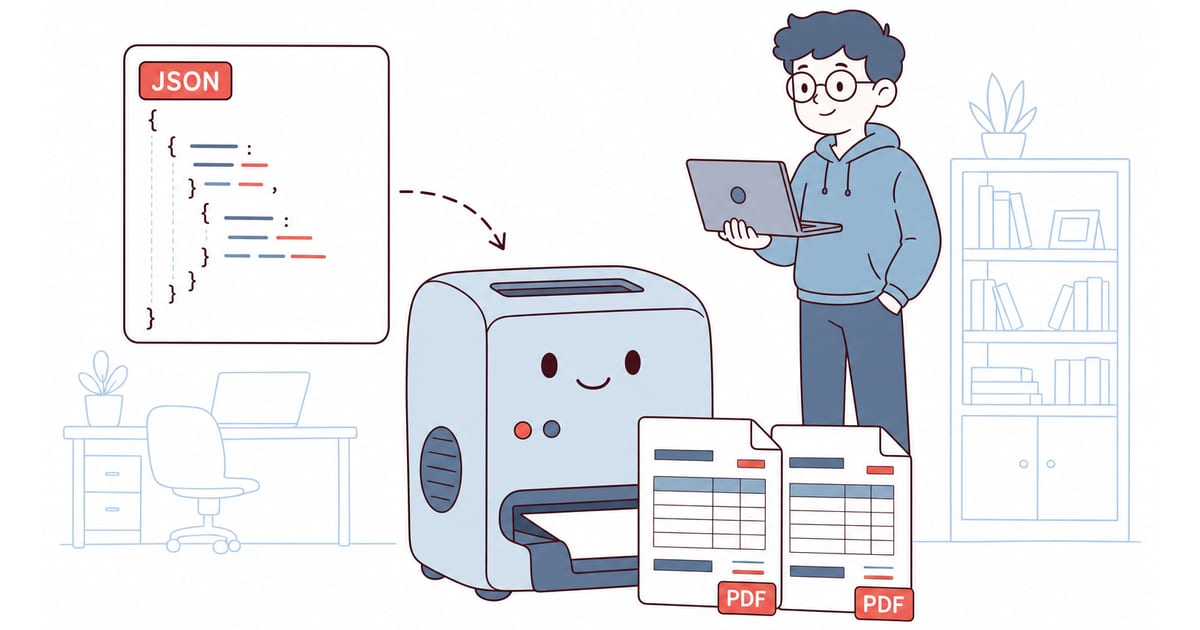
How to Generate PDFs From JSON Data (Node.js, Python and API Examples)
Turn JSON data into PDF documents with code: fill an HTML template with Handlebars or Jinja2 and print it, build the PDF with pdfmake, turn any JSON file into tables, or send the JSON to an API.
Best HTML to PDF APIs in 2026: Pricing, Rendering and Free Tiers Compared
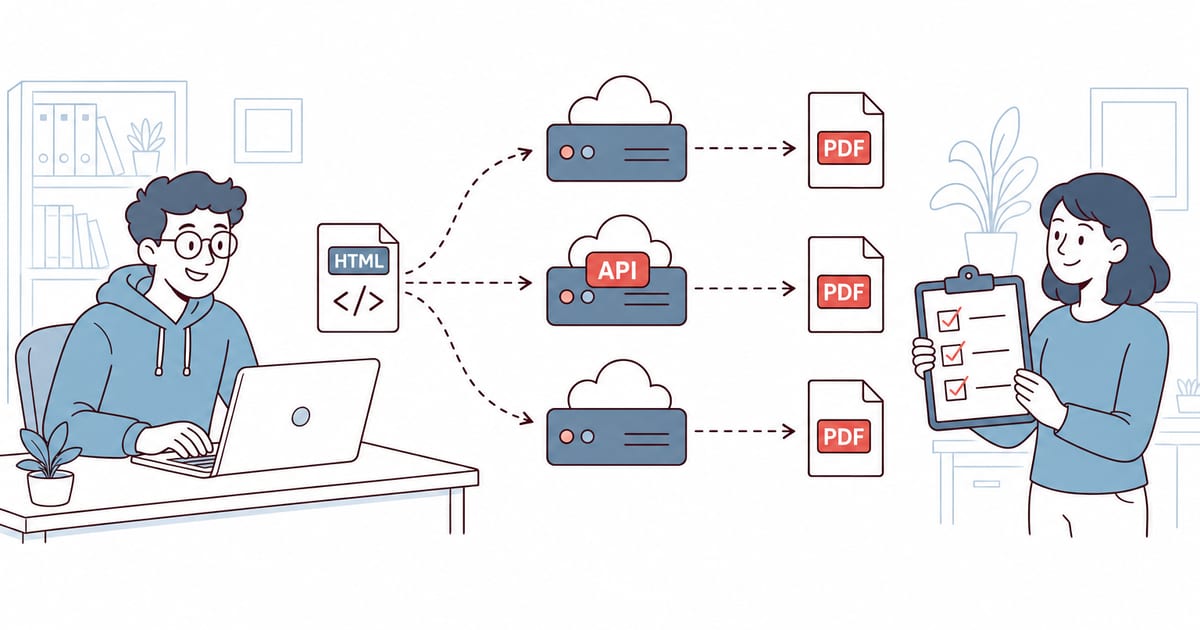
The best HTML to PDF APIs in 2026, from PDFShift and DocRaptor to self-hosted Gotenberg, compared on rendering engine, free tier and what 1,000 PDFs a month cost.