Team Collaboration
APITemplate.io supports teams — shared workspaces where multiple people can collaborate on templates and generate documents together.
What is a team?
A team is a shared workspace that:
- Lets all members create and view templates
- Has its own unique API key (separate from personal keys)
- Shares the team owner's subscription plan
- Supports role-based permissions
Creating a team
- In the top navigation bar, click the down arrow button next to your workspace name
- Click Add a New Team at the bottom of the team list
- Enter a name for your team
Switching between workspaces
Click the down arrow in the top navigation bar to see your personal workspace and all your teams. Click on any workspace to switch to it.
Managing your team
Go to Team Settings to access these tabs:
Team Information
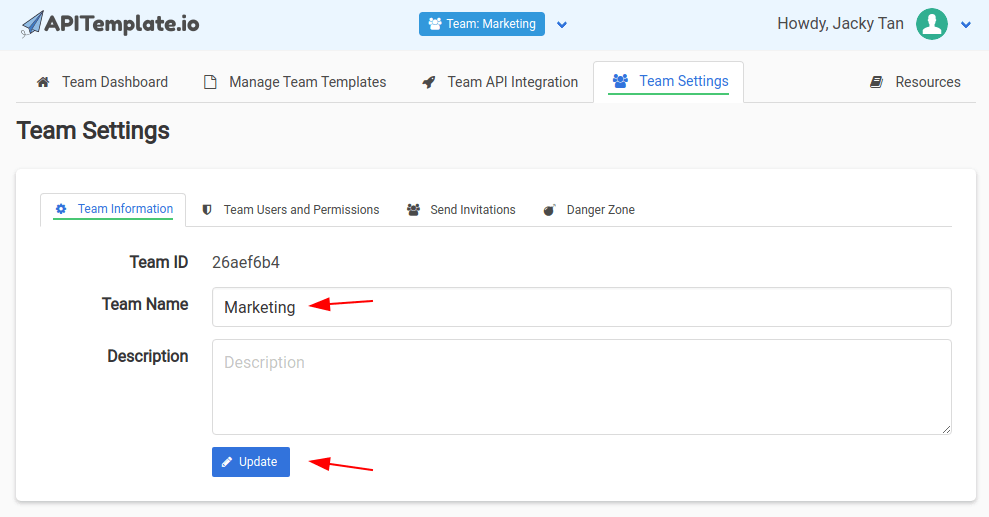
Update your team name and description. Click Update to save changes.
Send Invitations
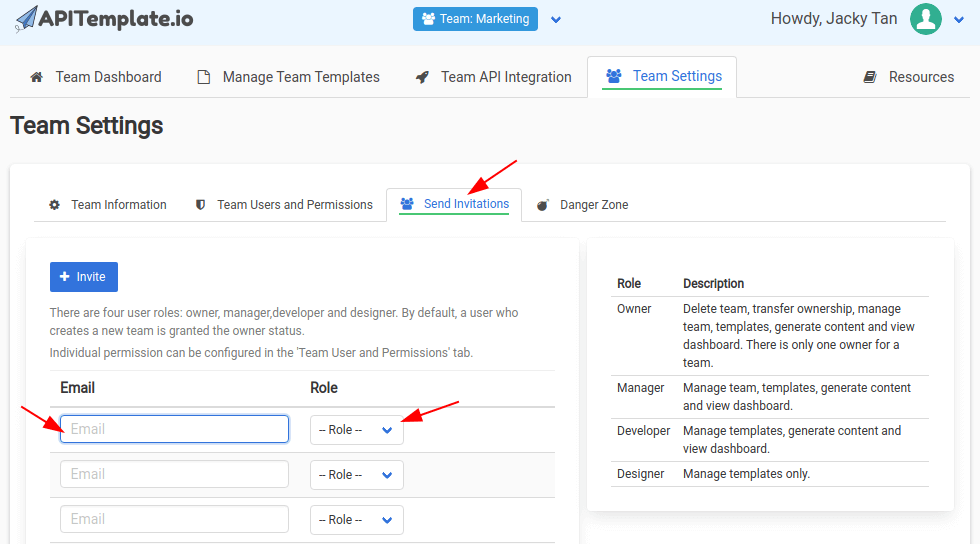
Enter email addresses to invite team members, then click Invite to send the invitations.
Team Users and Permissions
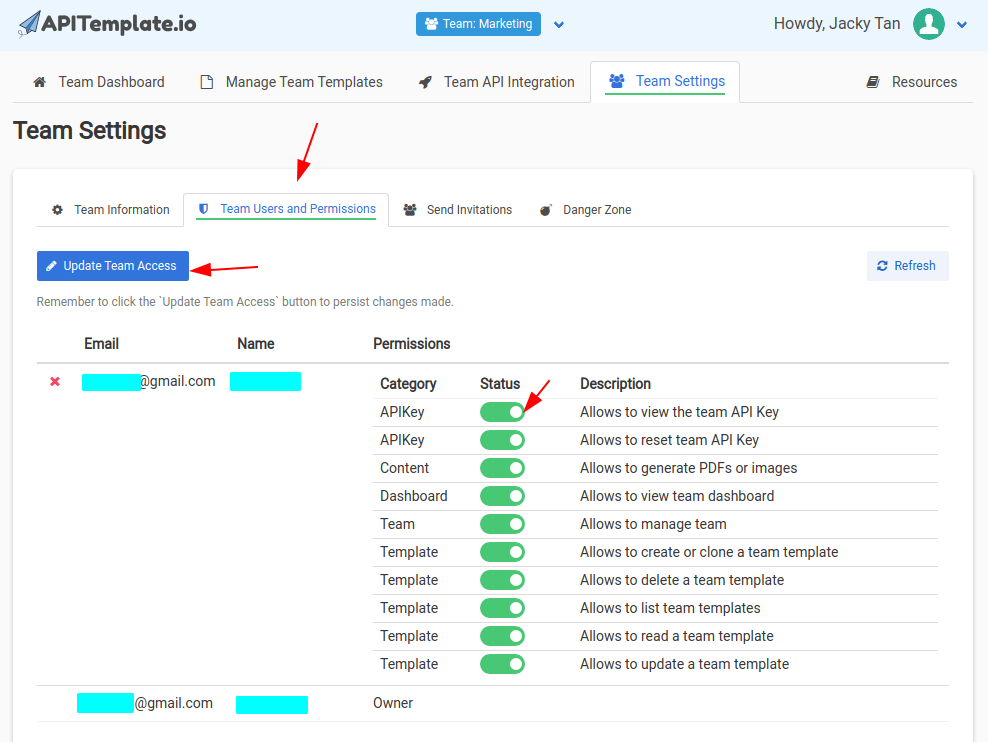
View all team members and manage their permissions. Use the toggle switches to turn individual permissions on or off for each member.
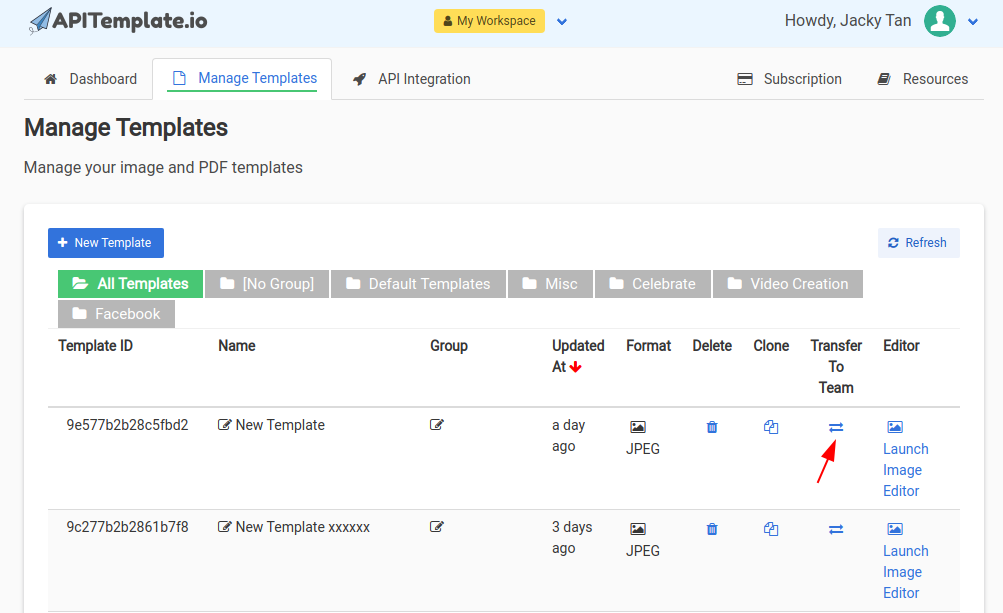
Transferring templates to a team
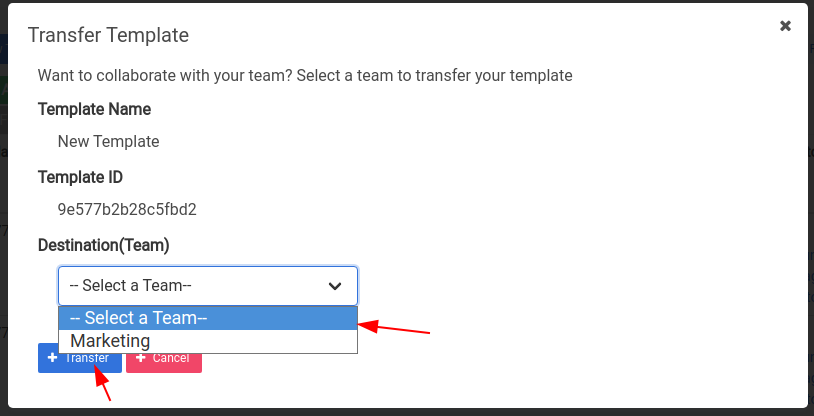
You can move templates from your personal workspace to a team:
- Go to Manage Templates
- Find the template you want to transfer
- Click the transfer icon in the Transfer To Team column
- Select the destination team
- Click Transfer
Team API key
Each team has its own API key, separate from your personal API key. Use the team's API key when generating documents for that team's templates.
You can find the team's API key in API Integration while you're switched to the team workspace.
Deleting or transferring a team
In Team Settings, the Danger Zone section lets you delete or transfer team ownership. These options are only available to the team owner.
Deleting a team removes all templates and data associated with it. This action cannot be undone.
Requirements
Team features are available on plans that support teams. Check the pricing page to see which plans include team collaboration.