Get Your API Key
Your API key is what authenticates your requests to the APITemplate.io API. You'll need it for REST API calls, SDK usage, and connecting third-party integrations like Zapier and Make.com.
Where to find your API key
- Log in to https://app.apitemplate.io
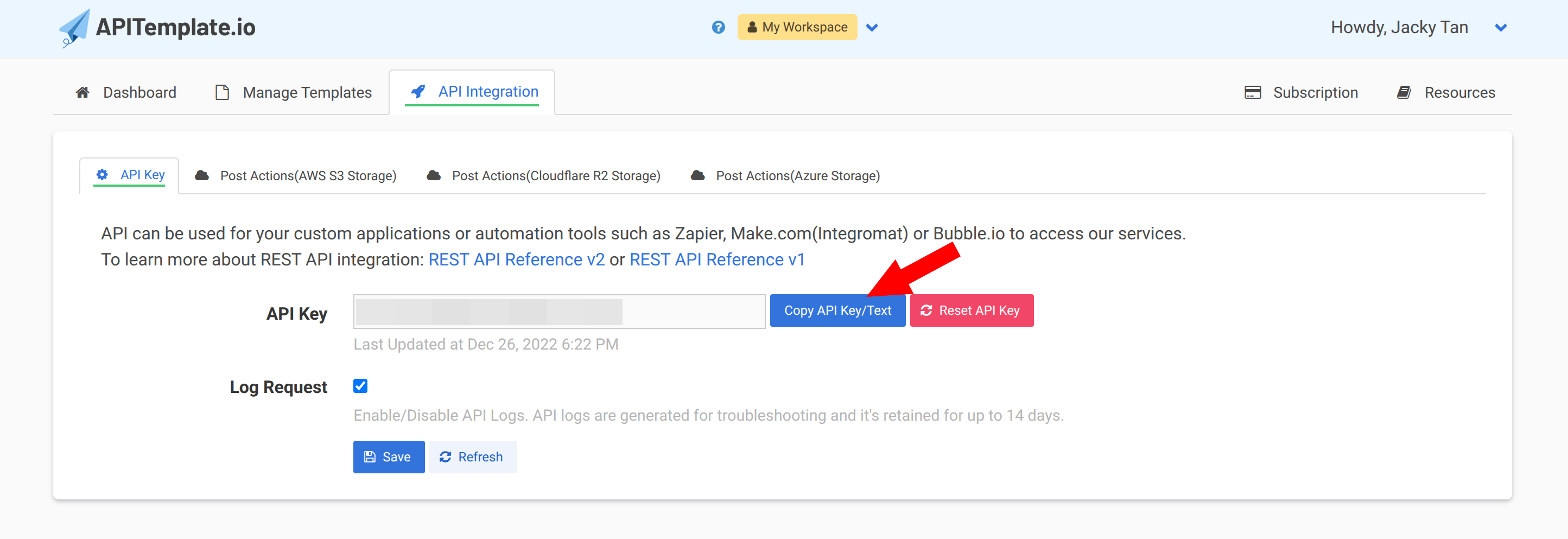
- Navigate to API Integration in the top navigation bar, or go directly to https://app.apitemplate.io/manage-api/
- Click Copy API Key/Text to copy your API key
Using your API key
Include your API key in the X-API-KEY header of every API request:
curl -X POST "https://rest.apitemplate.io/v2/create-pdf?template_id=YOUR_TEMPLATE_ID" \
  -H "X-API-KEY: YOUR_API_KEY" \
  -H "Content-Type: application/json" \
  -d '{"name": "John Doe"}'
Your API key is a secret. Don't share it publicly or commit it to version control. To replace a key without downtime, rotate it. If you think your key has been compromised, click Reset API Key to invalidate it immediately.
Rotate your API key
You can have up to 2 API keys, and only an Active key can call the API. This lets you switch to a new key without downtime: both keys work while you move your applications over, then you retire the old one.
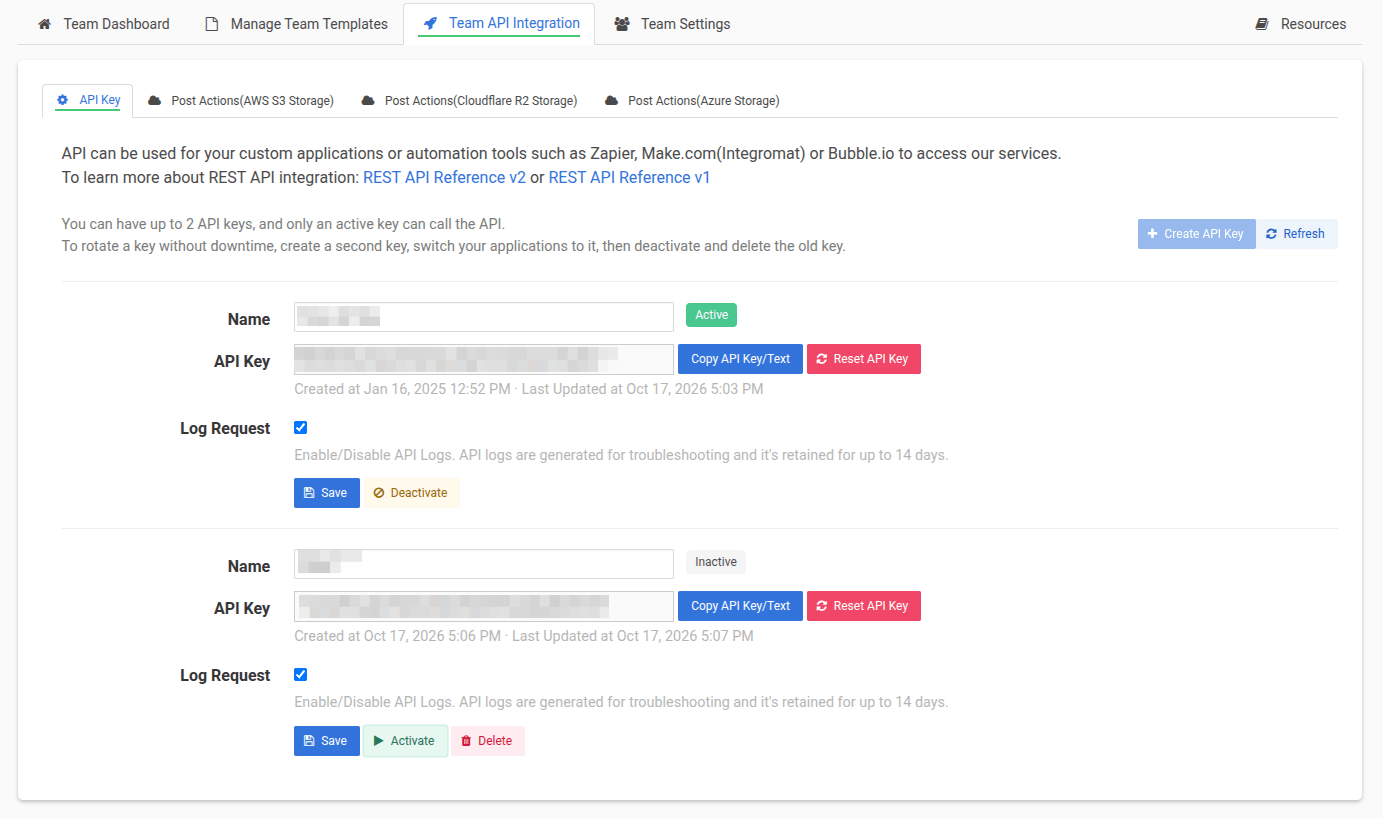
- Go to API Integration → API Key. To rotate a team's key, switch to that team's workspace first.
- Click Create API Key, give the new key a recognisable name, and click Save.
- If the new key shows Inactive, click Activate.
- Click Copy API Key/Text on the new key and update every place that uses the old one — server environment variables and secrets, Zapier, Make.com, Bubble.io and n8n connections, Airtable scripts, and so on.
- Confirm your requests succeed with the new key, either by sending a test request or by checking the API logs (with Log Request enabled).
- On the old key, click Deactivate. If something stops working, click Activate to restore it while you find the remaining caller.
- Once nothing depends on the old key, click Delete to remove it. Only inactive keys can be deleted.
Create API Key is disabled when you already have 2 keys. Delete the key you no longer use before starting a rotation.
Reset API Key vs. rotating
Reset API Key regenerates a key in place: the old value stops working the moment you click it, so every integration using it will fail until you update them. Use it when a key has leaked and must be cut off right away. For planned key changes, rotate instead.
More questions? See the API keys FAQ.
Team API keys
If you're working with a team, each team has its own API key. Team API keys are separate from your personal API key. See the Teams section for more details.
Next steps
Got your key? Let's create your first template.