Generate Your First Image
APITemplate.io's image generation lets you create banners, social media graphics, and personalized visuals from reusable templates. No HTML or CSS knowledge required.
Step 1: Create an image template
- Go to Manage Templates and click New Image Template
- Choose a preset (like an Instagram post, Facebook banner, or Pinterest pin) or start from a blank canvas
- Click Launch Image Editor on your new template
Step 2: Design your template
The image editor is a visual drag-and-drop canvas where you can:
- Add text elements — headlines, subtitles, body text
- Add images — backgrounds, logos, photos
- Add shapes — rectangles, circles, lines
- Add dynamic components — QR codes, barcodes
- Resize and position elements with precision controls
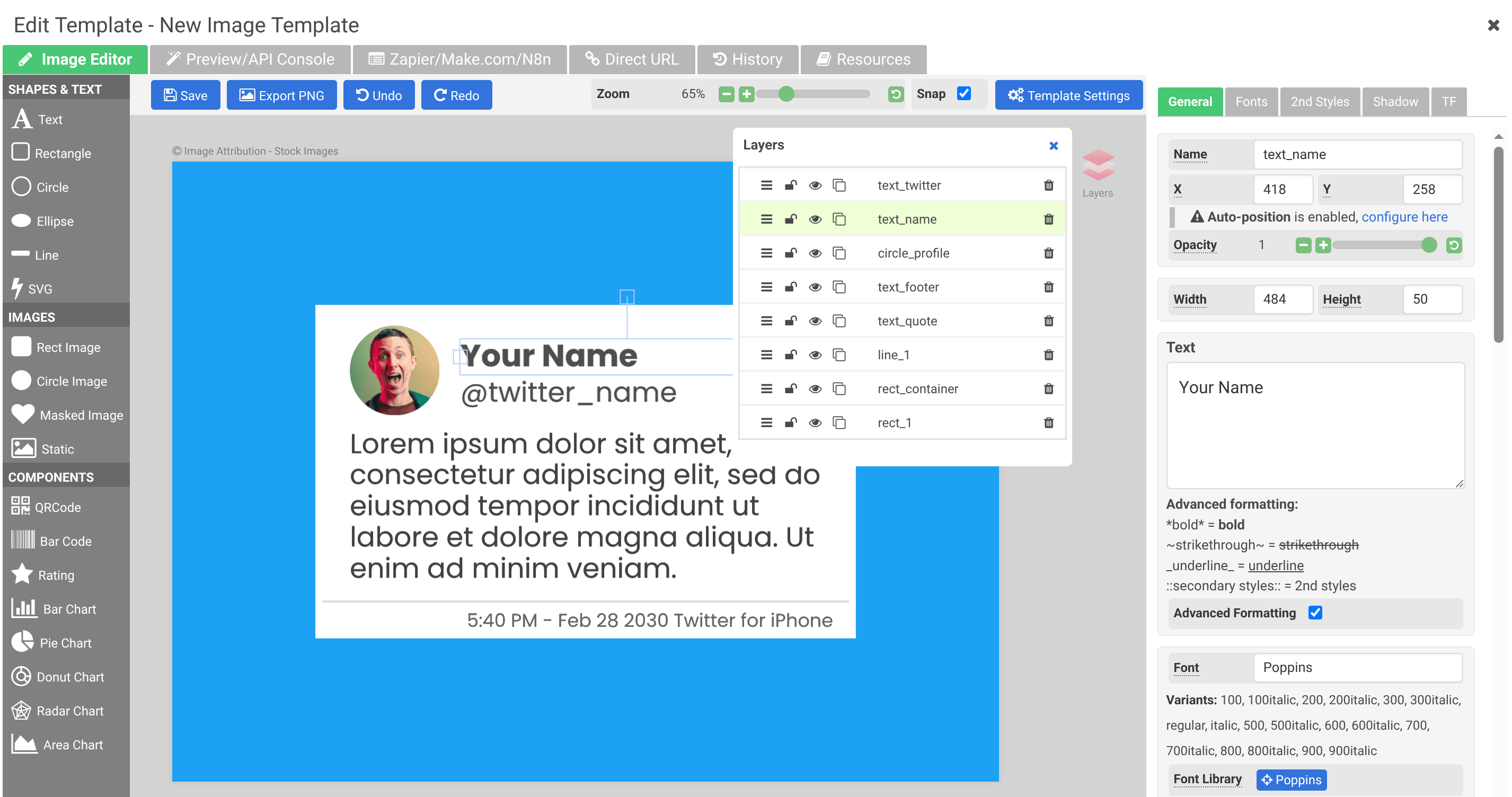
Give each dynamic element a meaningful name (like headline, subtitle, logo). These names map to JSON properties when generating images via the API.
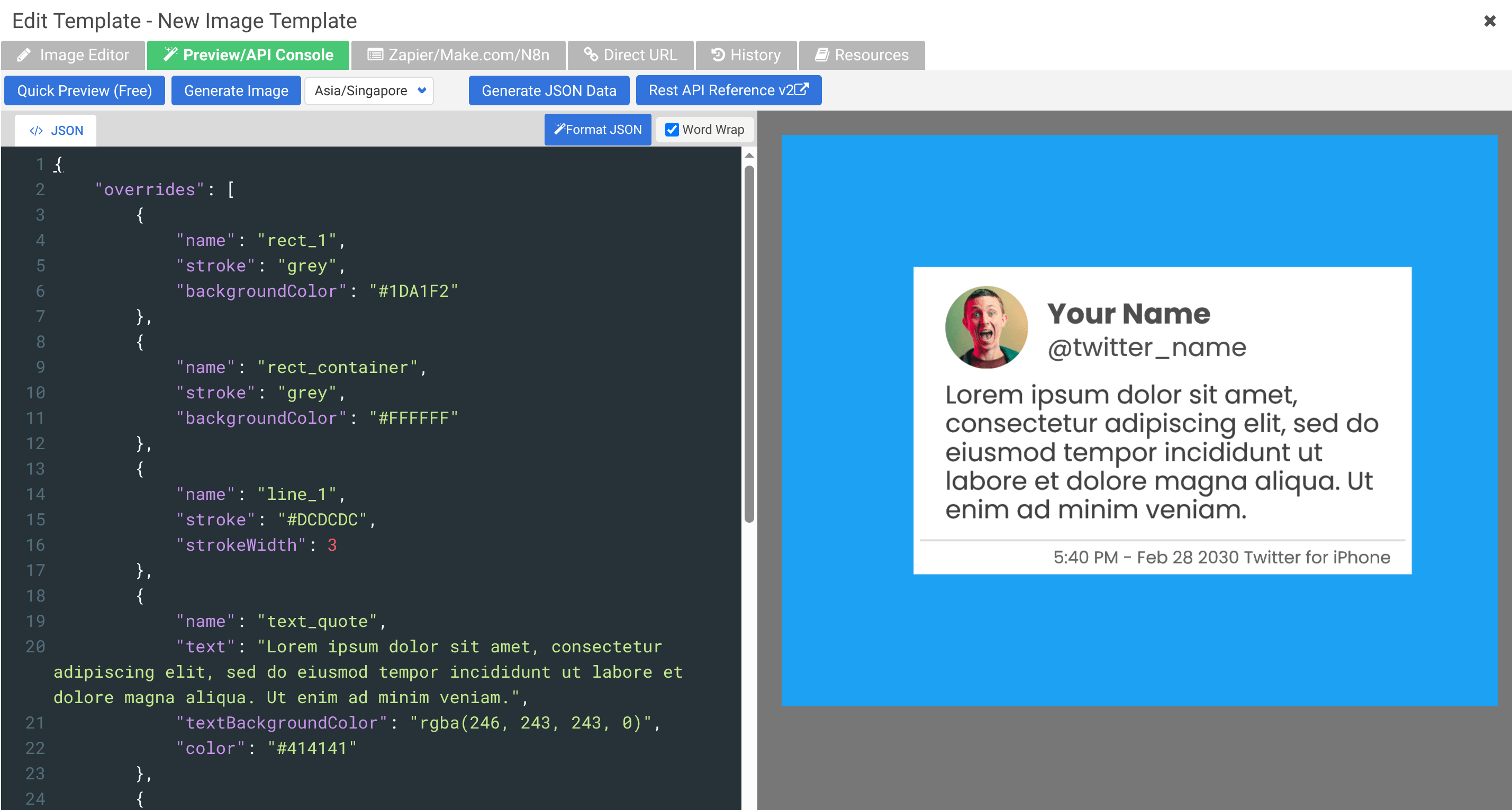
Step 3: Test with the API Console
- Click the Preview/API Console tab in the editor
- Click Generate JSON Data to populate the sample JSON
- Modify the JSON to change text, images, or other properties
- Click Quick Preview (Free) to see the result
Step 4: Generate via the API
Once your template is ready, you can generate images by sending a POST request to the create-image endpoint. Replace YOUR_TEMPLATE_ID with the template ID from your dashboard and YOUR_API_KEY with your API key.
The overrides array lets you swap out any named element in your template — pass the element's name and the new text, src (for images), or other properties.
curl -X POST "https://rest.apitemplate.io/v2/create-image?template_id=YOUR_TEMPLATE_ID" \
  -H "X-API-KEY: YOUR_API_KEY" \
  -H "Content-Type: application/json" \
  -d '{
    "overrides": [
      {
        "name": "headline",
        "text": "Welcome to APITemplate.io!"
      },
      {
        "name": "subtitle",
        "text": "Generate images at scale"
      }
    ]
  }'
The response includes a download_url for the generated image.
For the full list of parameters, output options, and error codes, see the REST API Reference (v2).
No-code alternatives
If you prefer not to write code, you can generate images through no-code integrations:
- Zapier — Set up a Zap that triggers image generation from events in Google Sheets, HubSpot, Airtable, or hundreds of other apps
- Make.com — Build a scenario that generates images as part of a multi-step automation workflow
- n8n — Use an open-source, self-hostable workflow platform to automate image generation with 300+ integrations
- Bubble.io — Generate images directly from your Bubble app using the official APITemplate.io plugin
- Airtable — Connect Airtable records to templates and generate images in bulk
- Direct URL — Generate images with just a URL and query string parameters — no API call needed
- REST API — Integrate image generation into any application with full control over the API
Learn more
- Image Template Editor — full guide to the editor
- Direct URL Generation — generate images with just a URL
- Zapier Integration — automate image generation
- Make.com Integration — connect with Make.com workflows
- n8n Integration — automate with an open-source workflow platform
- Bubble.io Integration — generate images from Bubble apps