Managing & Rotating API Keys
How many API keys can I have?
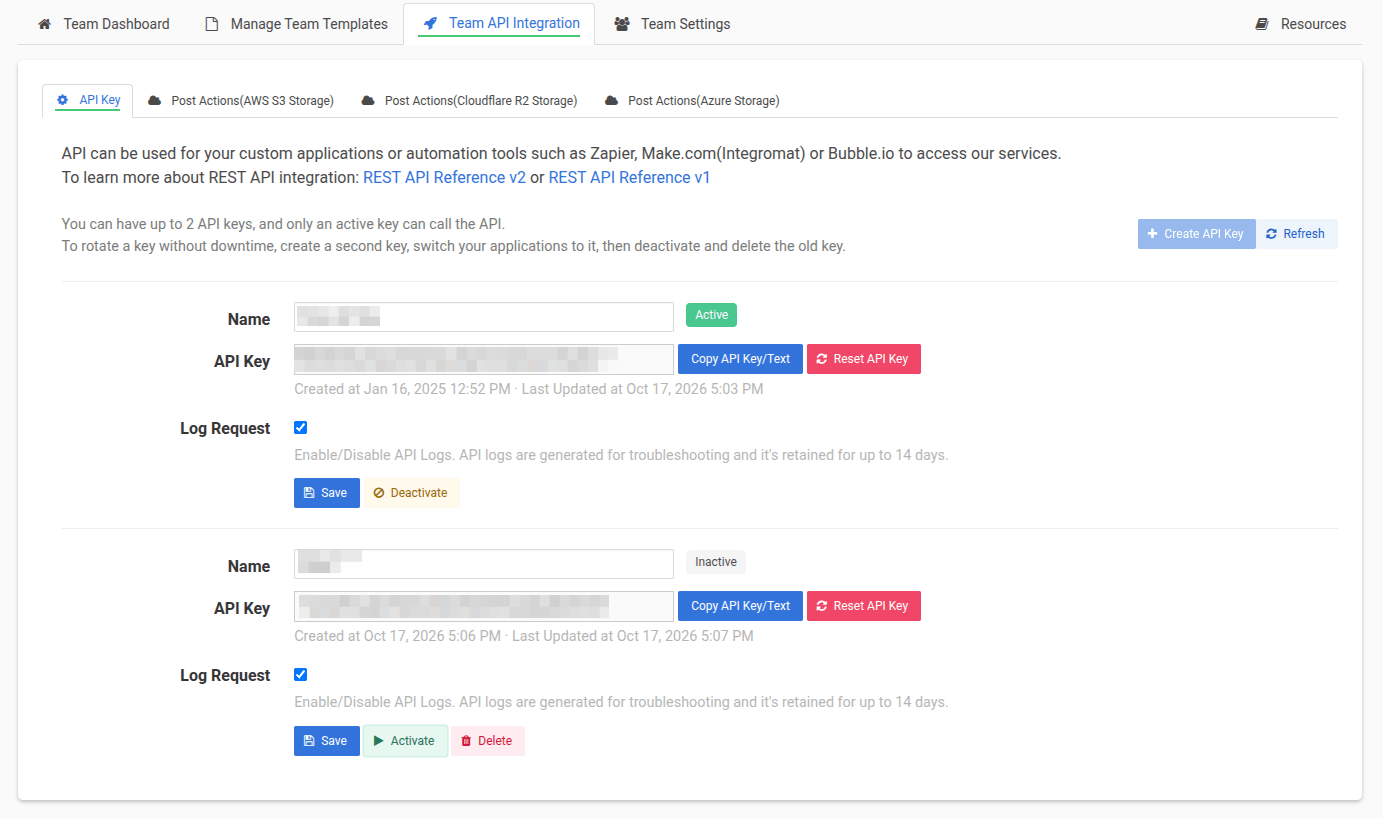
Each workspace can have up to 2 API keys. Your personal workspace and each team workspace have their own keys, managed separately on the API Integration page of that workspace.
What's the difference between an active and an inactive key?
Only an Active key can call the API. Requests made with an Inactive key are rejected. Deactivating a key is reversible — click Activate to bring it back — so it's a safe way to retire a key before deleting it for good.
How do I rotate my API key without downtime?
Create a second key, switch your applications to it, then deactivate and delete the old key. Both keys work during the switch-over, so there's no gap in service. See Rotate your API key for step-by-step instructions.
What's the difference between Reset API Key and rotating?
Reset API Key regenerates a key in place. The old value stops working immediately, so every integration that uses it will fail until you update it with the new value.
Rotating gives you a second key to move your integrations over to first, and you only retire the old key once nothing depends on it. Use rotation for planned key changes, and Reset when a key must be cut off right away.
My API key has leaked. What should I do?
- On the API Integration page, click Reset API Key on the leaked key (or Deactivate it) so it can no longer be used.
- Update your applications and integrations with a working key.
Remember that API keys are secrets: don't share them publicly, embed them in client-side code, or commit them to version control.
Why is the Create API Key button disabled?
You already have 2 API keys, which is the maximum. Delete the key you no longer use, then create a new one.
Why can't I delete my API key?
Only inactive keys can be deleted. Click Deactivate on the key first, and the Delete button will appear.
Does the new key keep my Log Request setting?
No — Log Request is set per key. When you create a new key, check that its Log Request setting matches what you want before switching your applications to it.
Does rotating my personal key affect my team's key?
No. Each team has its own API keys, separate from your personal ones. To rotate a team's key, switch to that team's workspace and rotate it from the team's API Integration page. See Team API key for more.